Comment créer un carnet de notes
Create Grade Book
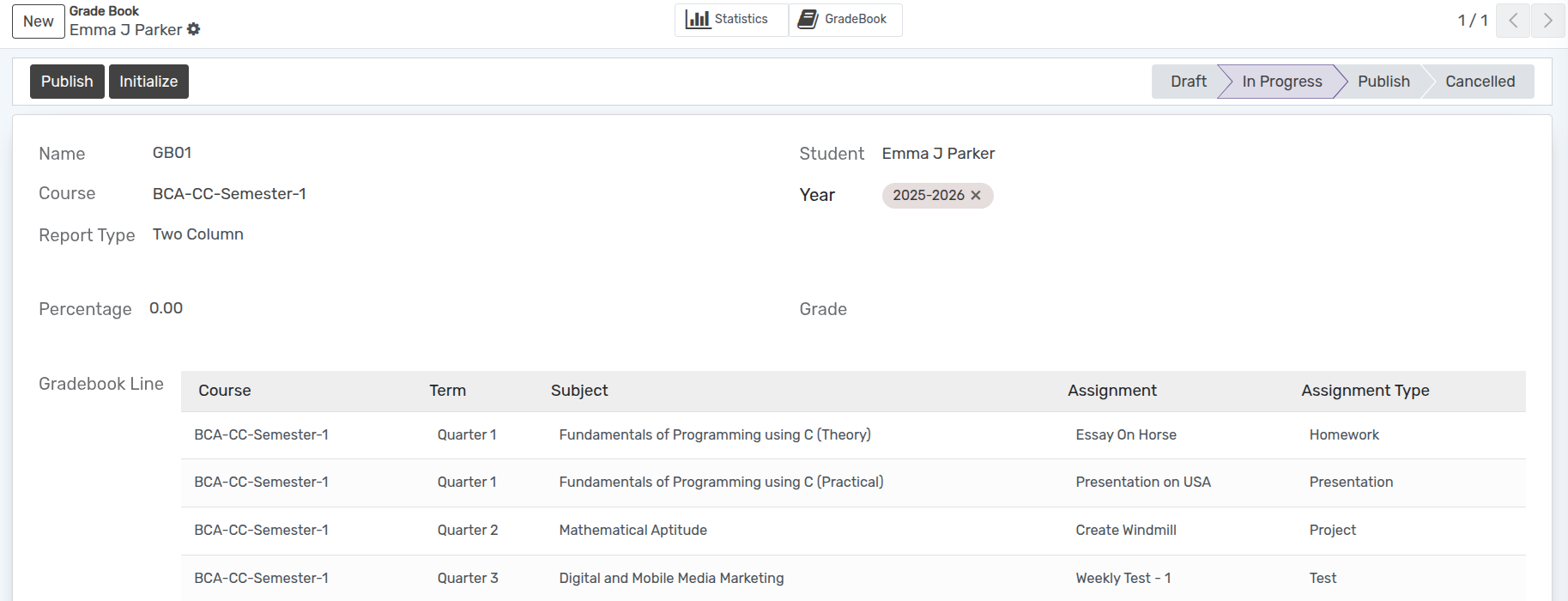
Grade Book is where a student’s grades are recorded. First, create an empty gradebook for each student.
Go to .
Click on New to create a new Grade Book.
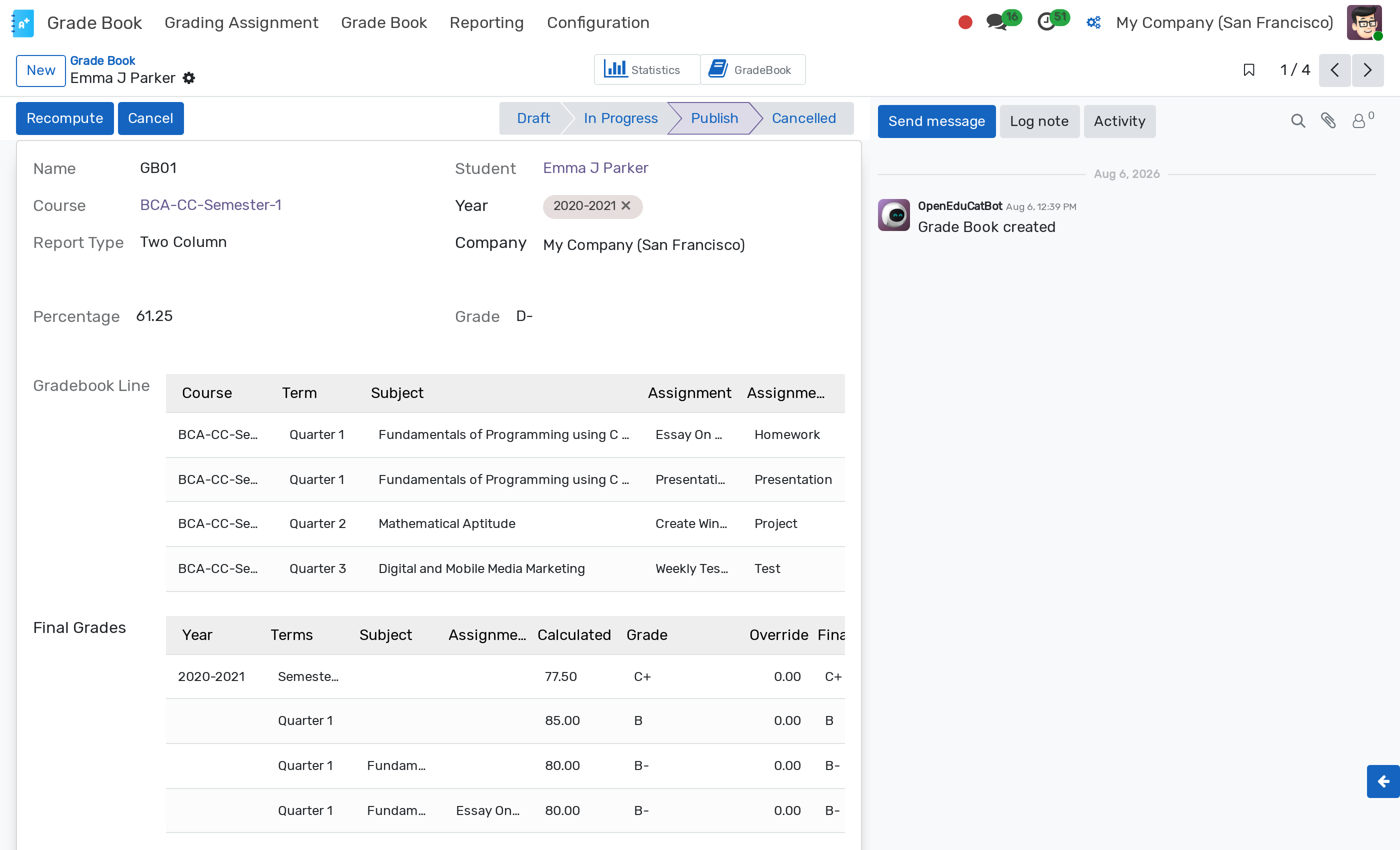
Détails du carnet de notes
Name :- Automatically generated based on the Grade Book sequence.
Student :- Select the student from the dropdown list whose gradebook is being created.
Course :- Select the course from the list.
Year :- Select the academic year for the selected student.
Report Type :- Select the report layout type (e.g. single column or two column).
Initialiser le carnet de notes
When the Gradebook is in In progress state, the Initialize button appears.
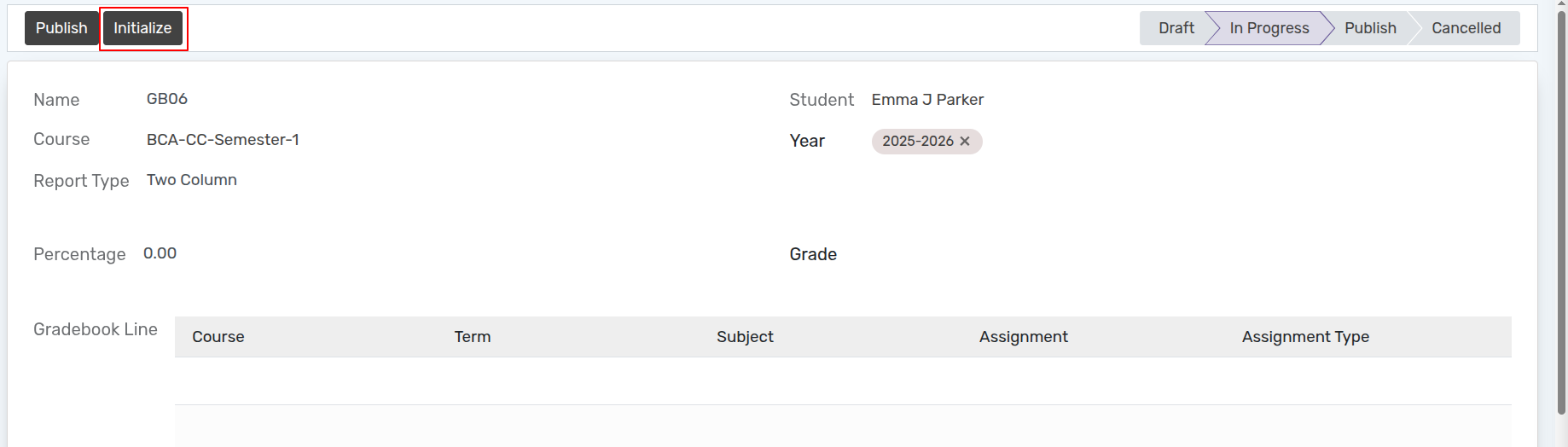
Clicking on Initialize opens the assignment selection wizard.
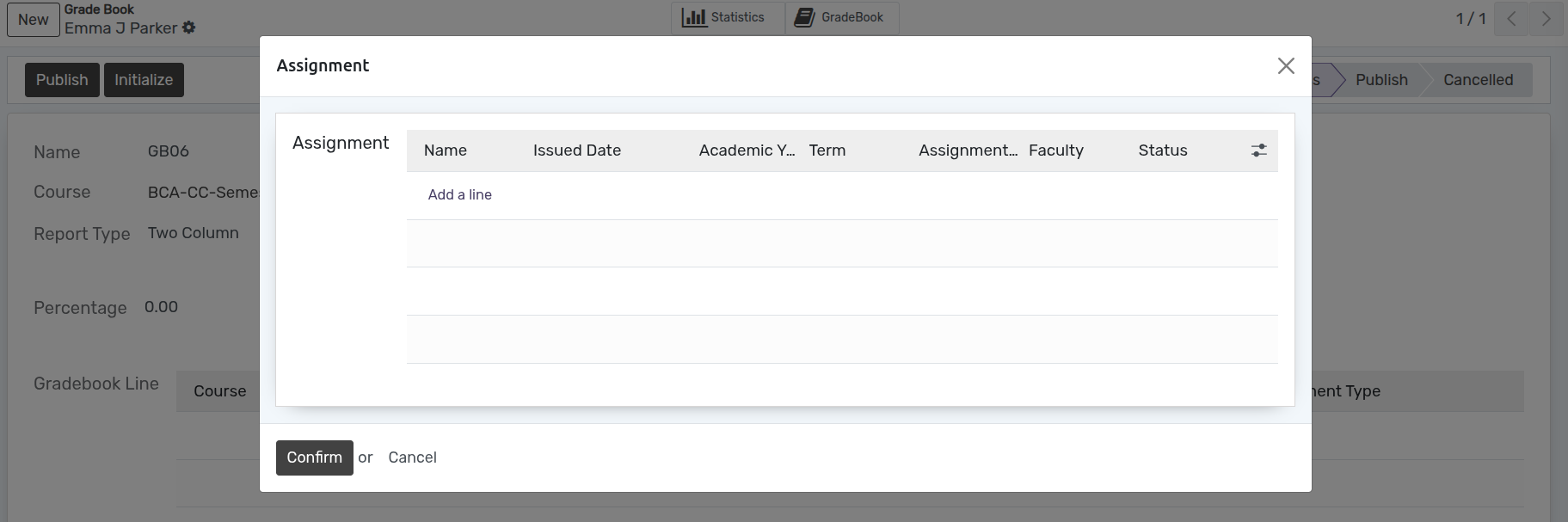
Click on Add a line to select and attach assignments.
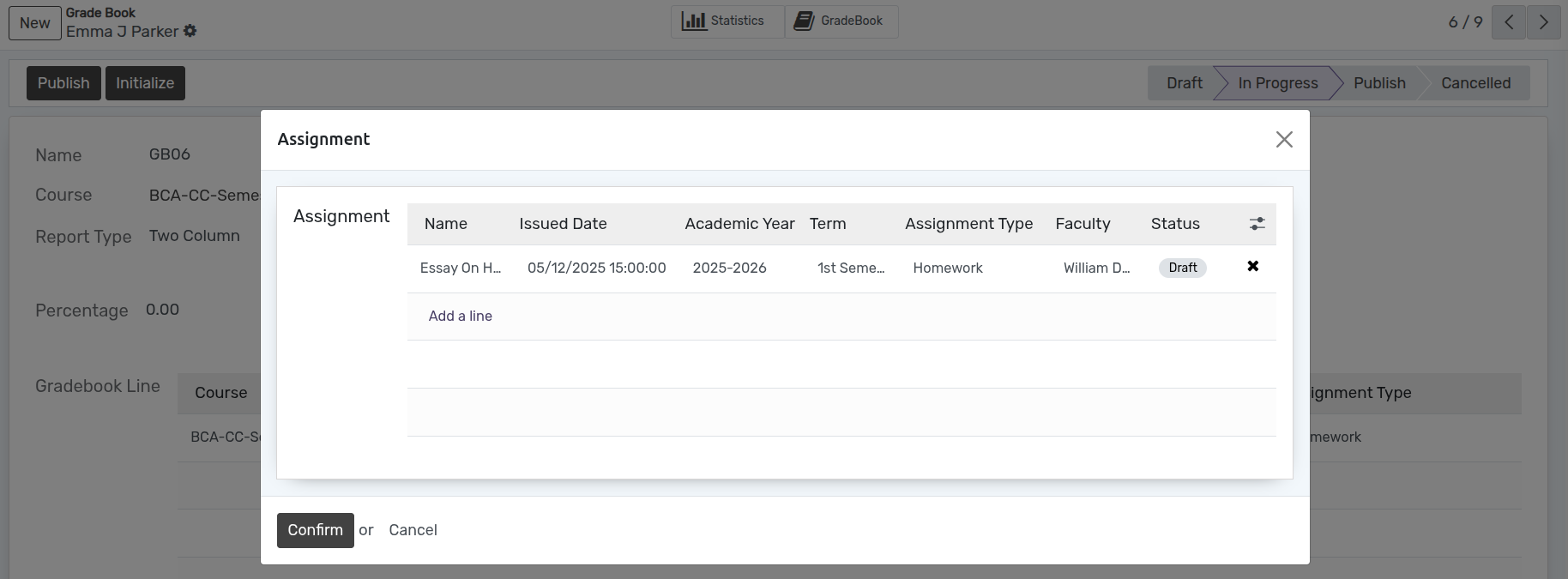
Click on Confirm to finalize gradebook initialization.