Unité des médias
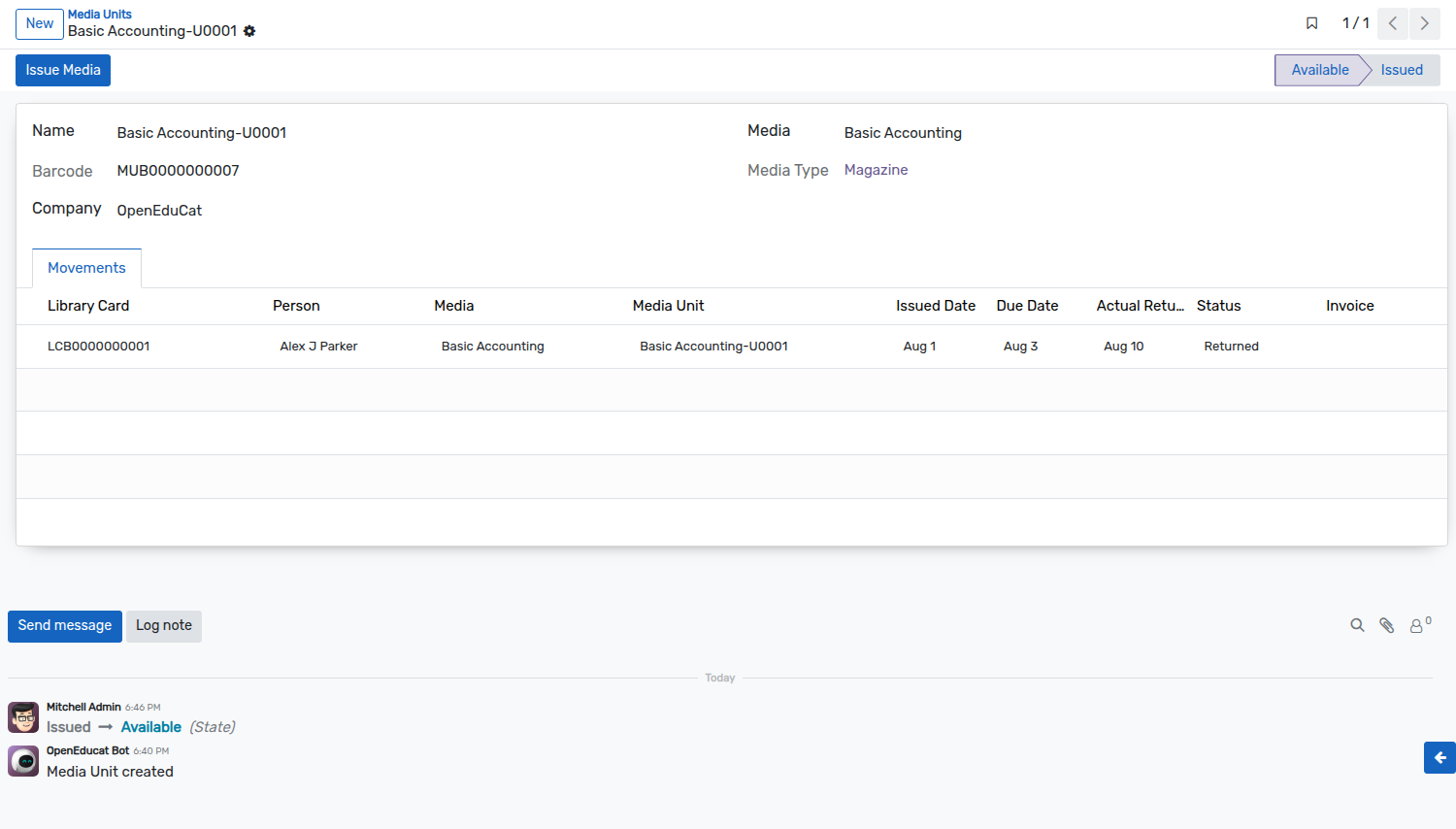
Lorsqu’une nouvelle unité multimédia est créée, OpenEduCat suppose que cette unité multimédia est disponible dans la bibliothèque. Alors maintenant, un bibliothécaire peut effectuer des opérations comme émettre une unité multimédia, retourner une unité multimédia, etc. Ainsi, une fois qu’une unité multimédia est créée, son état par défaut est « Disponible ».
Go To .
Click on New to create a new media unit.

Détails des unités multimédias
Name :- Provide the name for Media Unit.
Media :- Select the media from list for which media unit is created.
Barcode :- Provide the barcode of the media.
Media Type :- Select Media Type.
The list of the media units shows the media, the barcode and the state of every unit of the library.
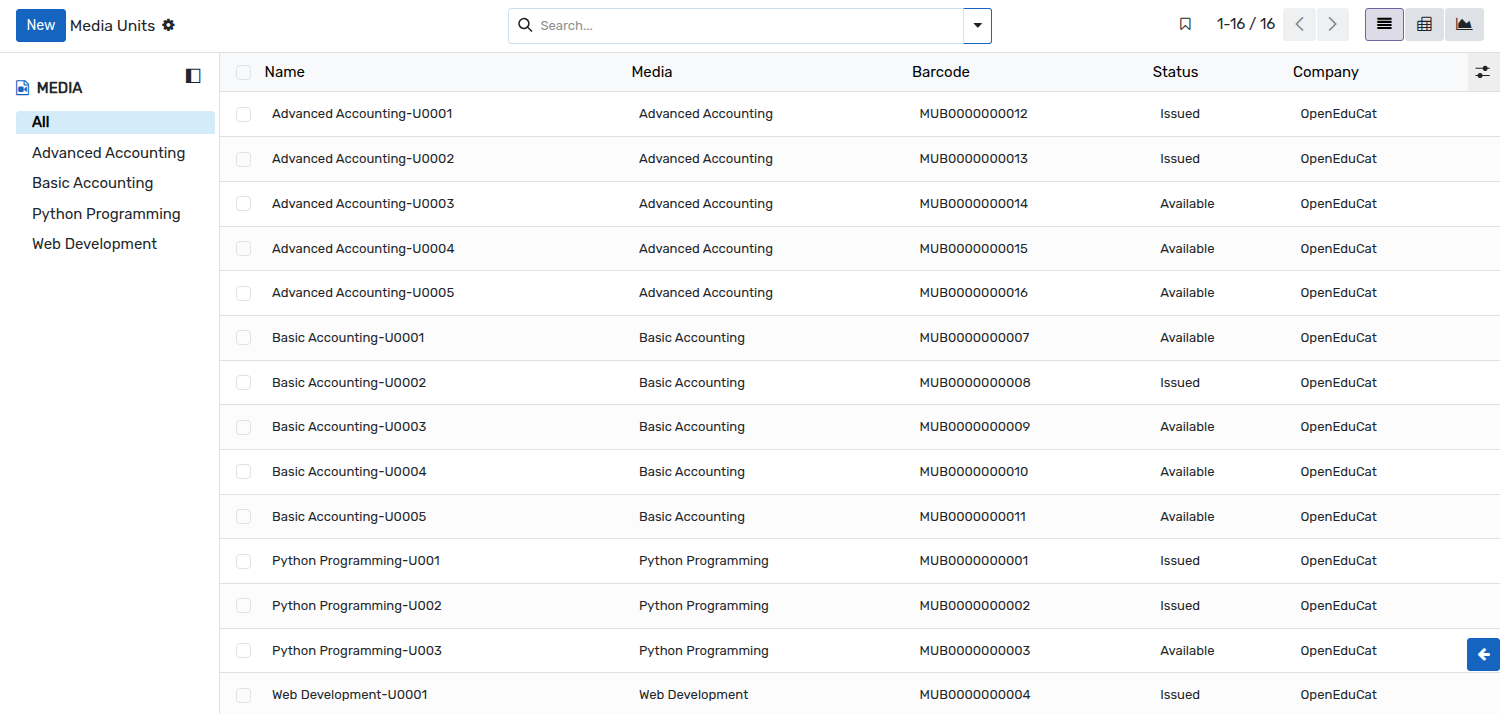
Médias thématiques
The
Issue Mediabutton is shown while the media unit is in theAvailablestate. Click on it to allocate the media unit to a person. It opens the below wizard, which is already filled in with the barcode of the unit.
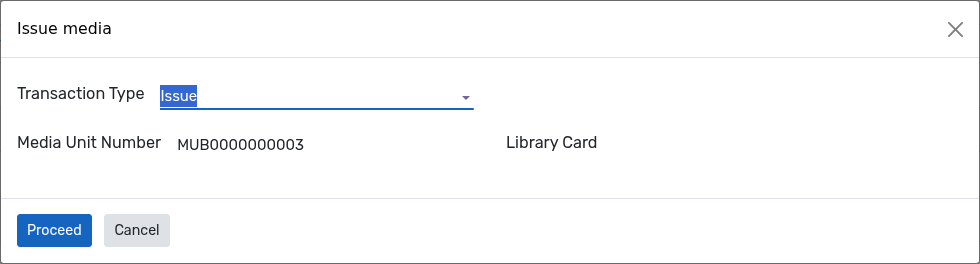
Détails de l’assistant de problème de support
Transaction Type :- Transaction Type is used to show whether the media unit is being issued or returned. It is set to Issue by the
Issue Mediabutton.Media Unit Number :- The barcode of the media unit which is being issued. It is filled in from the media unit you started from, and it can also be scanned.
Library Card :- The library card of the person to whom the media unit is issued. It is required to issue a media unit.
Click on
Proceed. OpenEduCat creates the media movement of the issue, sets its due date from the duration of the library card type, and changes the state of the media unit fromAvailabletoIssued.
Note
The same wizard can be opened directly from , which is convenient when the barcode of the unit is scanned instead of being selected in the interface. The number of media allowed by the library card type is checked at that moment, and the issue is refused when the person already holds that number of medias.
Retourner le média
The
Return Mediabutton is shown while the media unit is in theIssuedstate. Click on it to open the same wizard, with the Transaction Type set to Return. The library card is not asked, as the media unit is returned by the person who holds it.
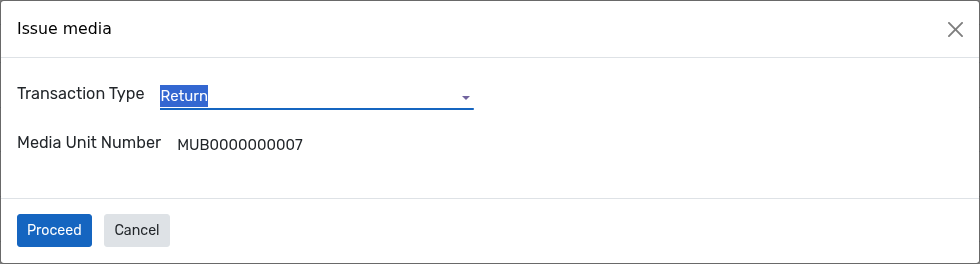
Click on
Proceedto actually return the media unit. The media unit is returned with the date of the day, the penalty is computed when the media is late, and the state of the media unit changes fromIssuedback toAvailable.