
Tableau de bord de la bibliothèque
Tableau de bord de la bibliothèque
Pour voir le tableau de bord de la bibliothèque, accédez à .
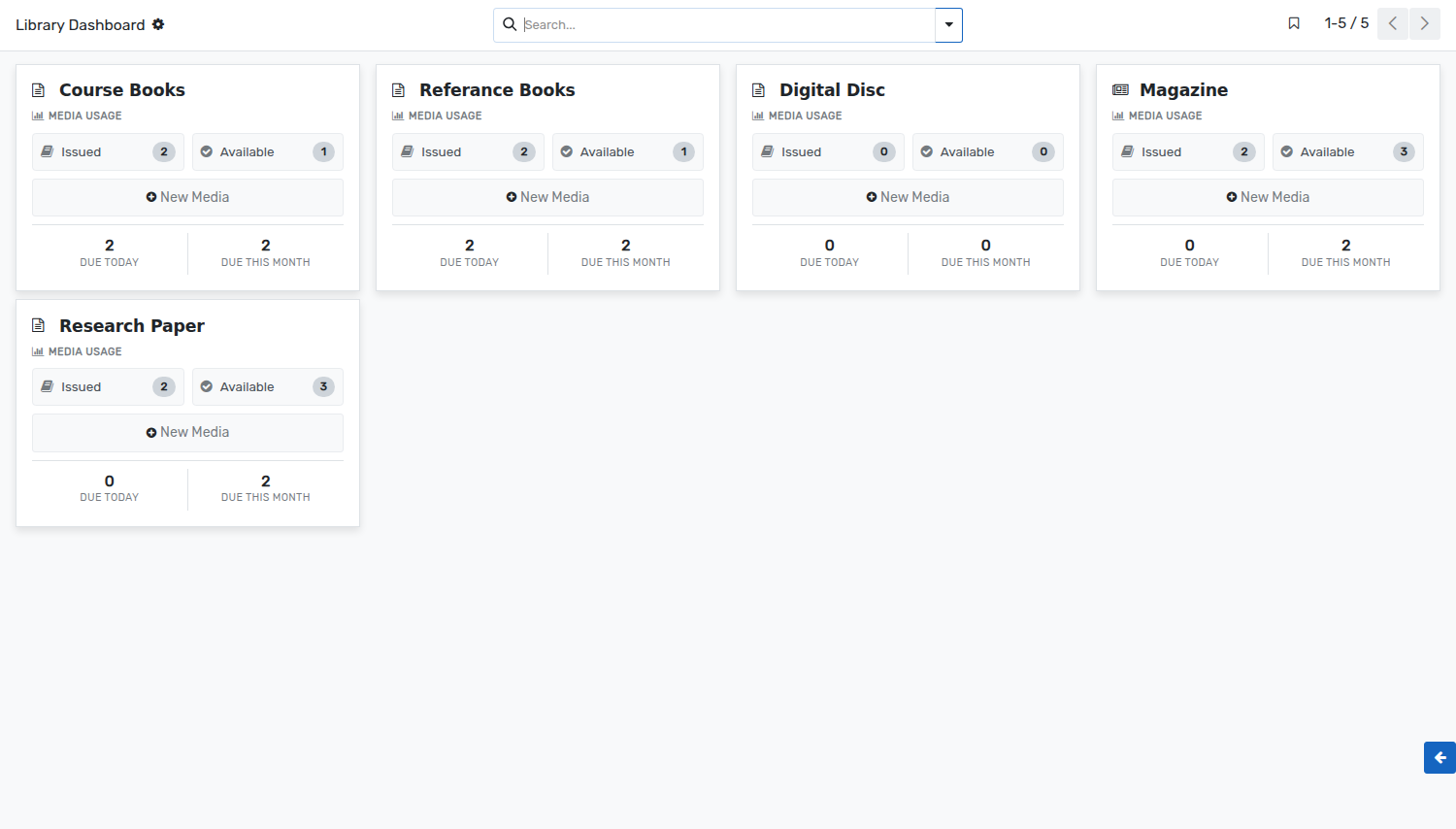
Le tableau de bord de la bibliothèque est une vue graphique pour le bibliothécaire. Il peut avoir un aperçu rapide des médias utilisés pour la journée et le mois en cours.
Le bibliothécaire peut voir tous les détails des médias émis et disponibles. Ceux-ci sont extraits des enregistrements des mouvements médiatiques.
The dashboard shows one card per media type. Every card gives:
Issued :- The number of units of that media type which are issued at the moment. Click on it to open their media movements.
Available :- The number of units of that media type which are on the shelves and can be issued.
Due Today :- The number of medias of that type which have to be returned today.
Due This Month :- The number of medias of that type which have to be returned within the current month.
New Media :- Creates a new media of that media type, without leaving the dashboard.
The colour of a card can be changed from the menu at its top right corner, which also gives access to the settings of the media type.