
Panel de biblioteca
Panel de biblioteca
Para ver el panel de la biblioteca, vaya a:menuseleccion:
Biblioteca --> Panel.
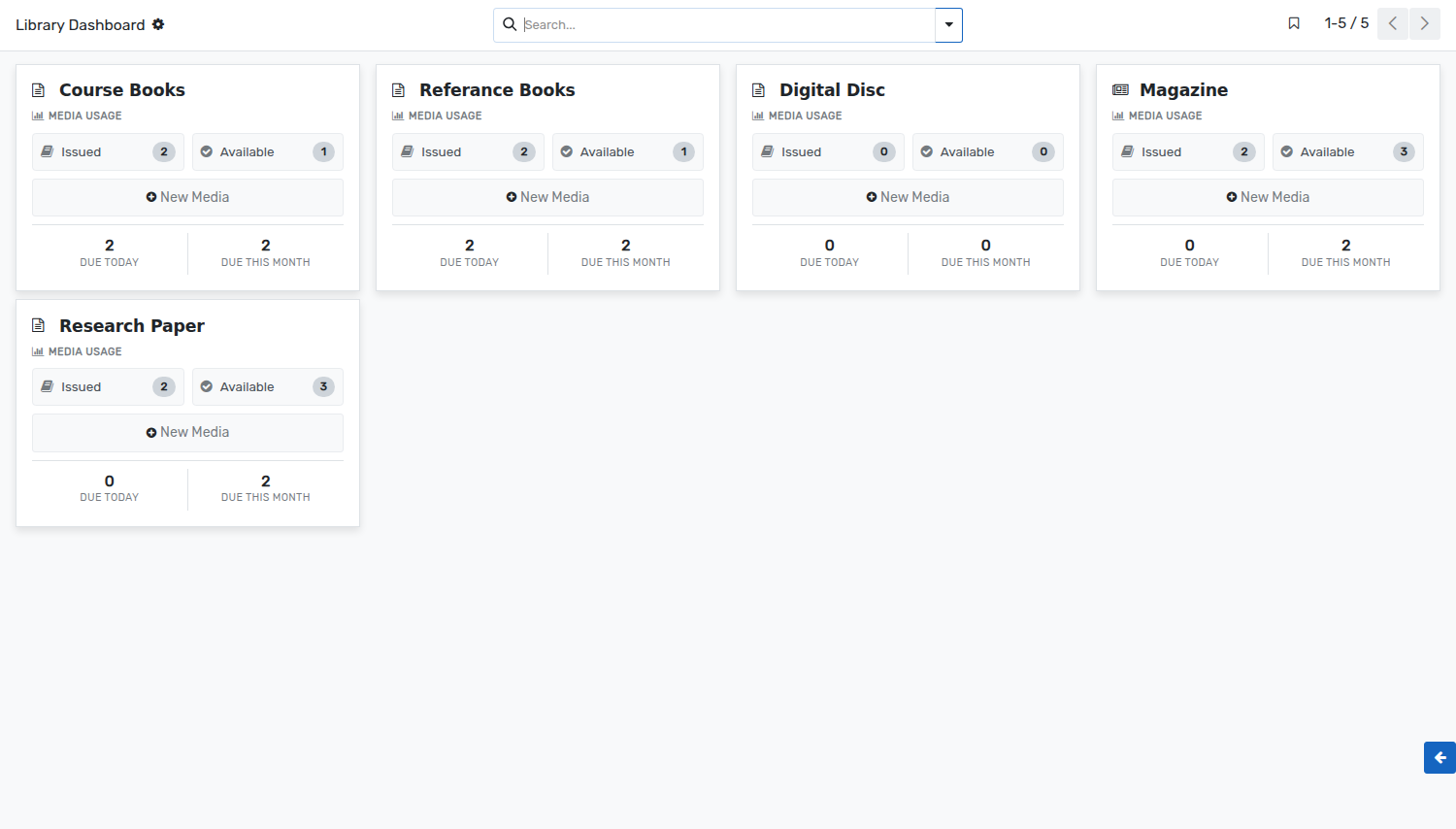
El panel de la biblioteca es una vista gráfica para el bibliotecario. Puede tener una descripción general rápida de los medios de uso del día actual y del mes actual.
El bibliotecario puede ver todos los detalles de los medios emitidos y disponibles. Estos se obtienen de los registros de movimientos de los medios.
The dashboard shows one card per media type. Every card gives:
Issued :- The number of units of that media type which are issued at the moment. Click on it to open their media movements.
Available :- The number of units of that media type which are on the shelves and can be issued.
Due Today :- The number of medias of that type which have to be returned today.
Due This Month :- The number of medias of that type which have to be returned within the current month.
New Media :- Creates a new media of that media type, without leaving the dashboard.
The colour of a card can be changed from the menu at its top right corner, which also gives access to the settings of the media type.