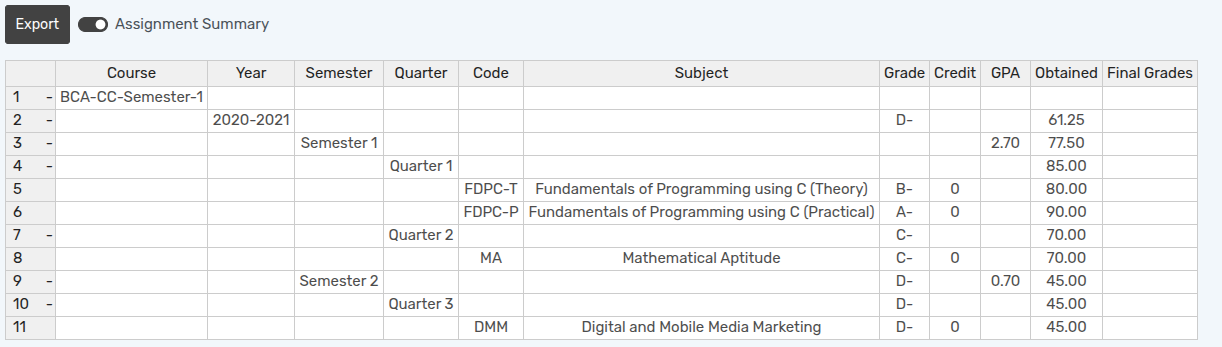
Cómo crear una tarea de calificación
Grading Assignment is created for a particular subject of a course based on which student grades are calculated.
Go to .
Click on New to create a new Grading Assignment.
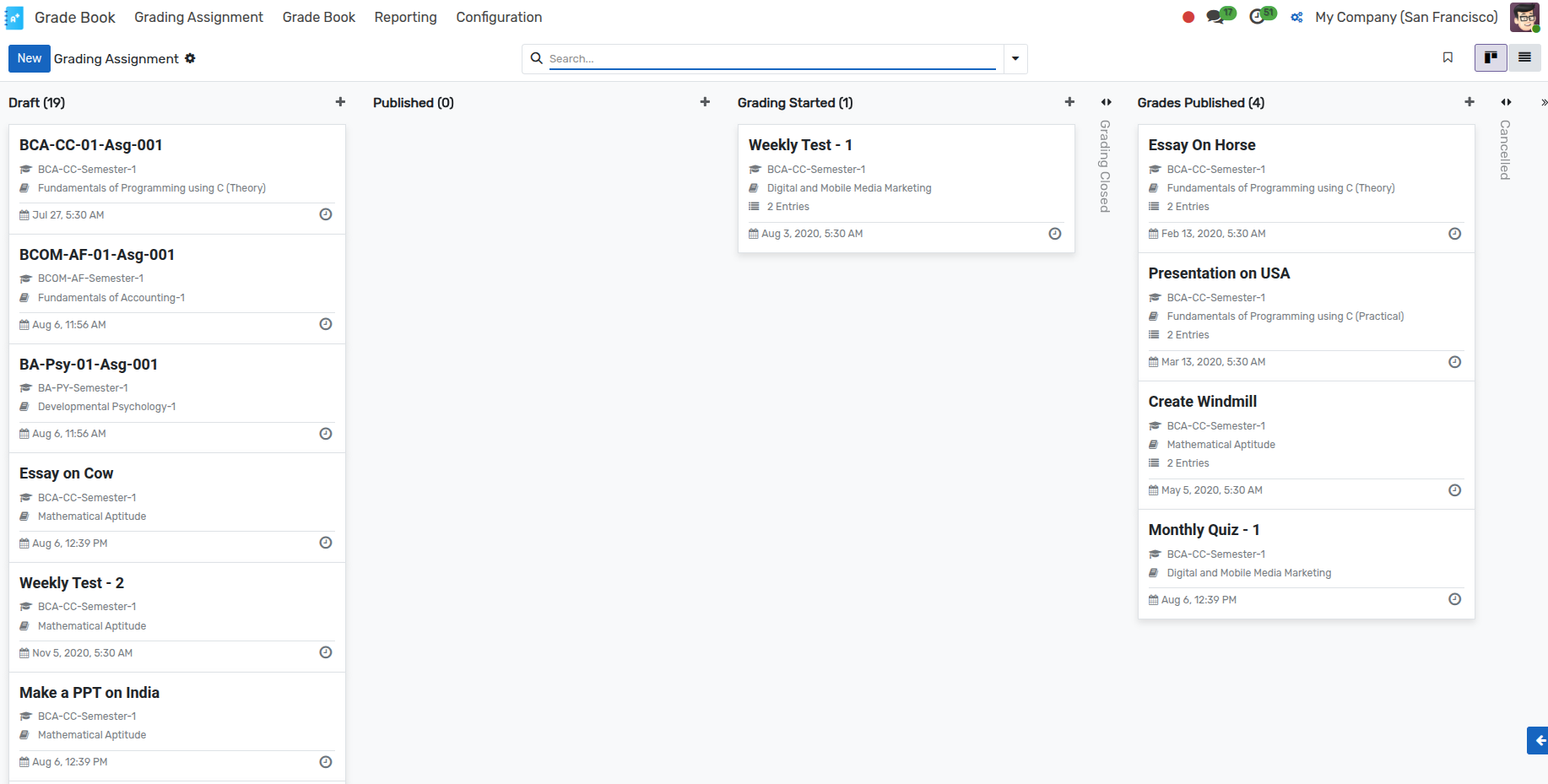
Detalles de la tarea de calificación
Index :- Index is the unique number assigned to the grading assignment.
Name :- Specify the name of the grading assignment.
User :- User who created the assignment.
Academic Year :- Specify the academic year of the grading assignment being created.
Course :- Select a Course from the list.
Grade :- Select a Grade scale from the list.
Issued Date :- Issued Date is the date on which the grading assignment is issued.
Assignment Type :- Specify the type of the grading assignment being created.
Faculty :- Specify a faculty from the list.
Term :- Specify the term of the grading assignment being created.
Subject :- Select a Subject from the list.
Flujo de trabajo de calificación de tareas
Borrador
When an assignment is created, it is in
Draftstate.
Publicado
Haga clic en el botón Publicar para publicar la tarea. Cambia el estado de «Borrador» a «Publicado».

Calificación iniciada
Haga clic en el botón Calificación iniciada para iniciar la calificación. Cambia el estado de
PublicadoaCalificación iniciada.

Empezar a calificar
Click on the Start Grading button to Start the Grading. It will redirect you to Grade Book Line view.

Here you will find a list of students enrolled in the selected academic year.
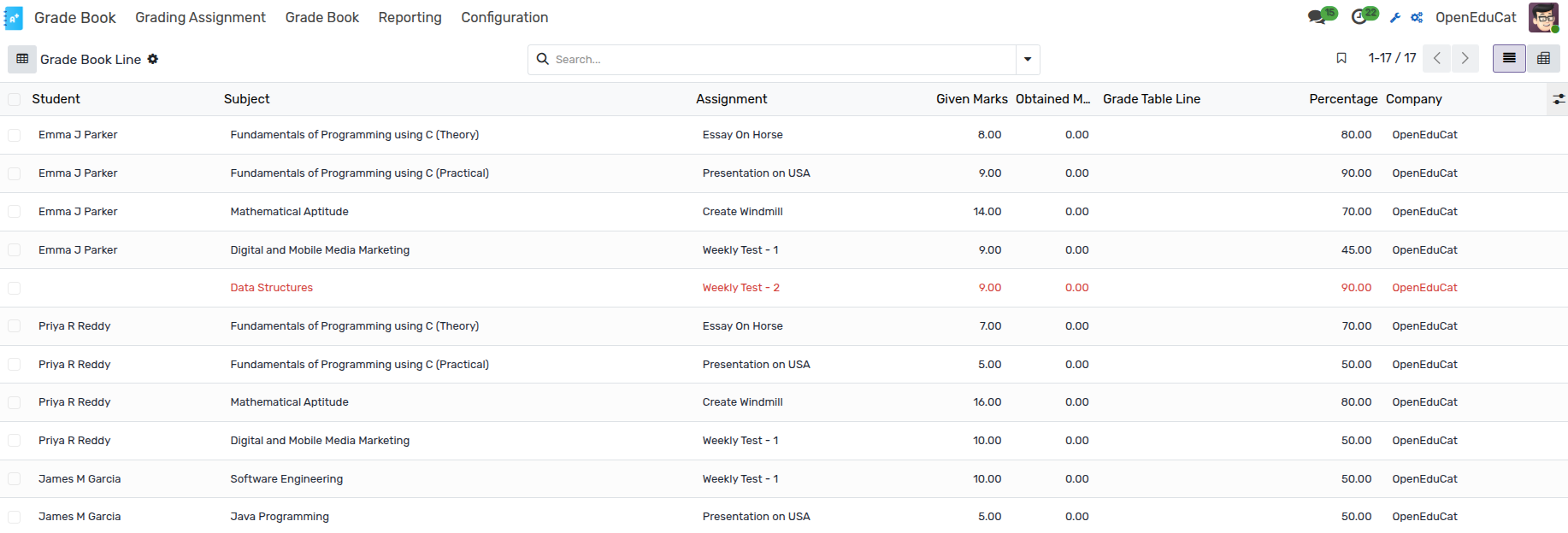
Here you can enter the assignment marks for each student.
Calificación cerrada
Haga clic en el botón Calificación cerrada para cerrar la calificación. Cambia el estado de
Calificación iniciadaaCalificación cerrada.

Calificaciones publicadas
Click on the Grades Published button to Publish the Grades. It changes the state from
Grading ClosedtoGrades Published.

Go to . Here you can select the student whose Grade Book you wish to view.
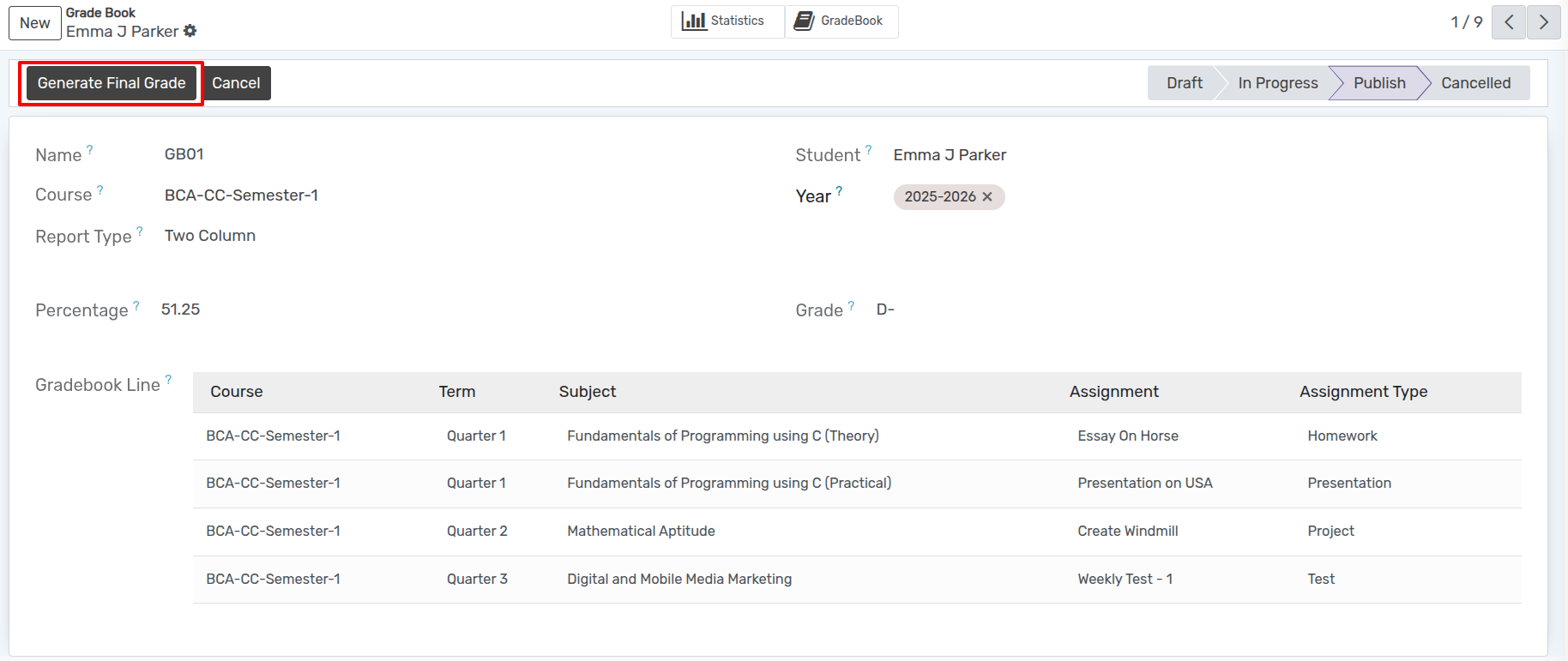
Generar calificación final
Haga clic en Generar calificación final para generar la calificación final.
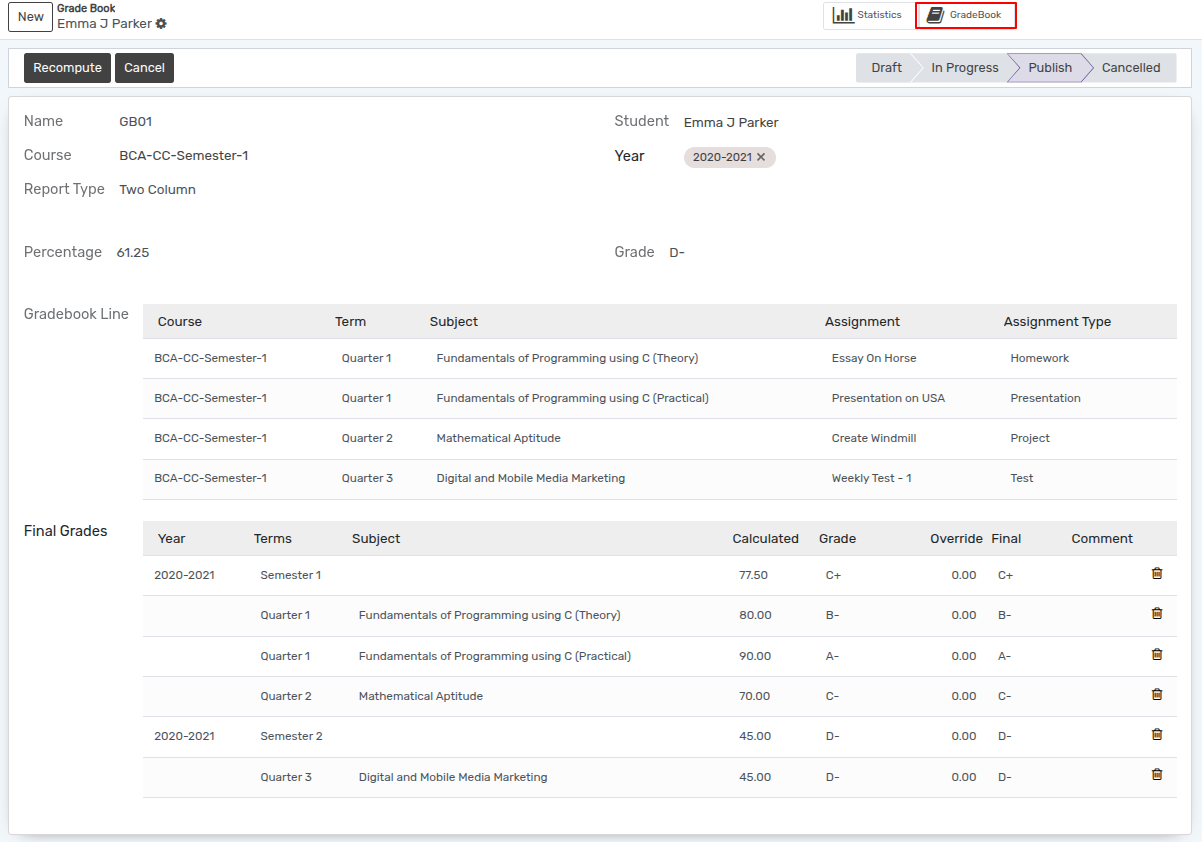
Haga clic en GradeBook para ver el libro de calificaciones.