
Configuracion basica
OpenEduCat proporciona la posibilidad de realizar algunas configuraciones básicas. Hay cinco funciones para la configuración básica que puede configurar.
Instalación: - Especifique las diferentes instalaciones de un instituto.
Categories :- Specify the religions.
Tipos de actividades: - Especificar las diferentes actividades que se llevan a cabo en un instituto.
Tipos de becas: - Configura diferentes tipos de becas.
Scholarship Stages :- Configure the stages through which a scholarship is followed.
Tipos de logros: - También puede configurar los detalles del tipo de logro.
Configurar instalación
Go to SIS ‣ Configuration ‣ General Management ‣ Facilities.

Detalles del formulario de instalación
Nombre:- Nombre de la instalación. Se mostrará en todo el sistema.
Código:- Código de la instalación. Código único para instalación.
Configurar categorías
Go to SIS ‣ Configuration ‣ General Management ‣ Categories.
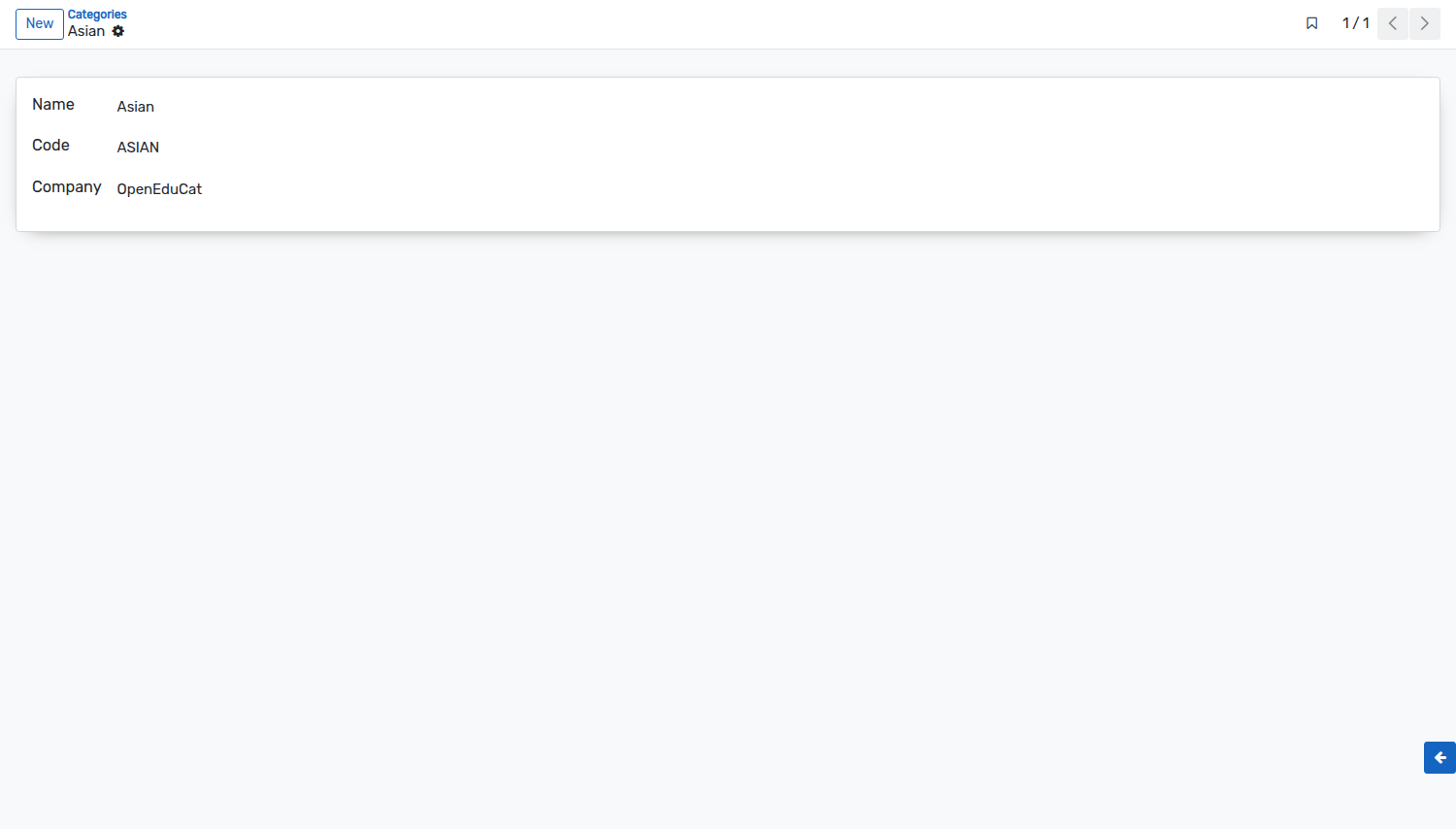
Detalles del formulario de categorías
Nombre: - Dar nombre a la categoría.
Código: - Especifique el código de la categoría. El tamaño del código no debe tener más de 4 caracteres.
Configurar tipos de becas
Go to .
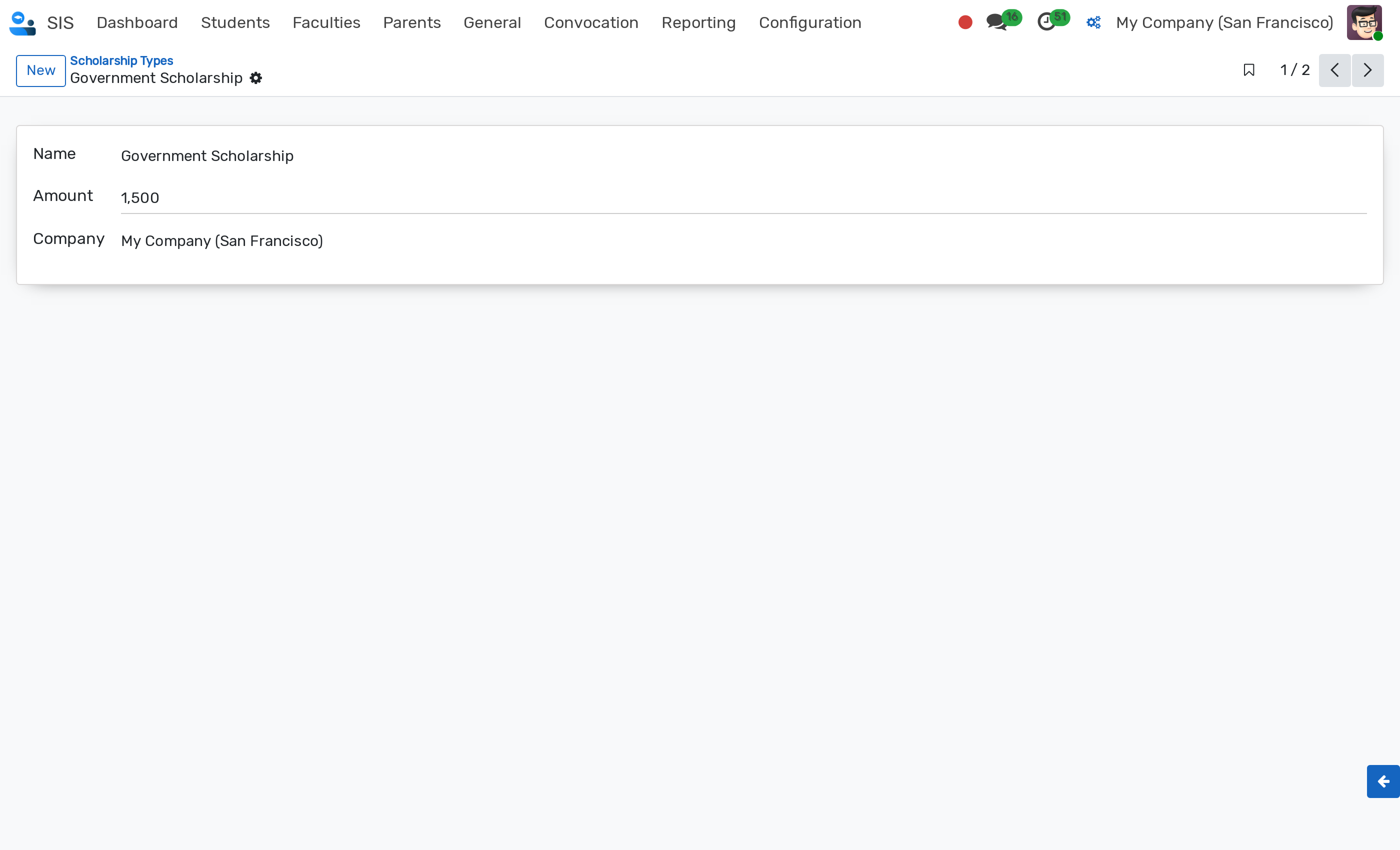
Detalles del formulario de tipo de beca
Name :- Name of the scholarship type.
Amount :- Default monetary amount for this scholarship type. The amount must be strictly greater than zero (> 0).
Company :- Company to which the scholarship type belongs (multi-company support).
Scholarship types can be archived when no longer active. An Archived ribbon is displayed on the record form.
Configure Scholarship Stages
Scholarship Stages define the lifecycle states for scholarship requests. They are displayed in the status bar of the scholarship form and as columns in the Kanban view (see Scholarship).
Go to . Click on New to create a new stage.
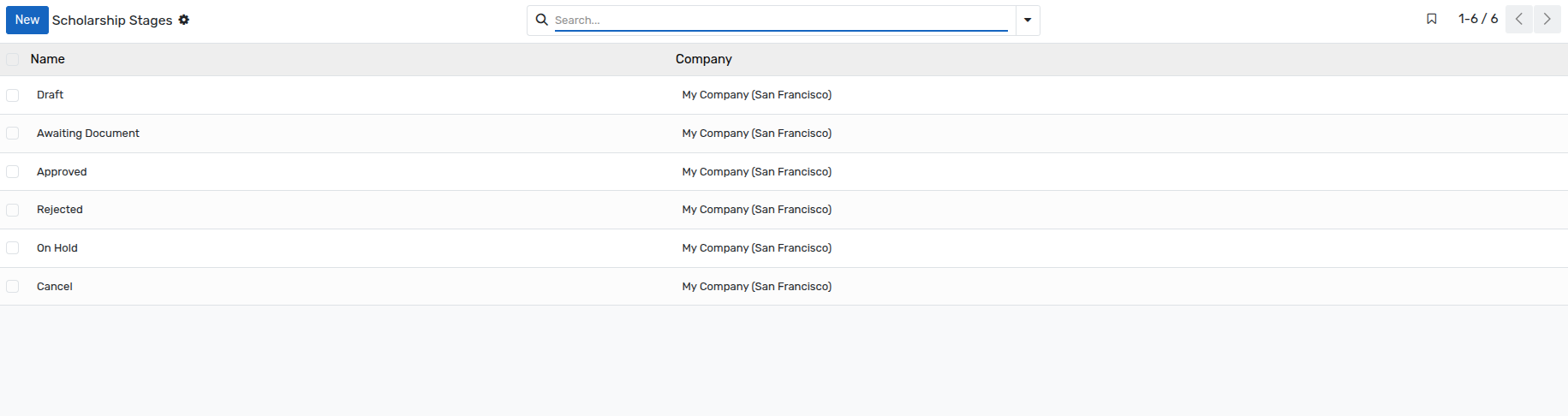
Details of Scholarship Stages Form
Name :- Name of the stage, as displayed on the scholarship. This field is mandatory.
Company :- Company the stage belongs to. This field is mandatory, and is only displayed when several companies are managed.
Nota
The stages
Draft,Awaiting Document,Approved,Rejected,On HoldandCancelare available in a database installed with demonstration data. If your database has been created without demonstration data, create here the stages of your own procedure before recording the first scholarship.A stage that is already used by a scholarship cannot be deleted.
Configurar tipos de actividad
Go to SIS ‣ Configuration ‣ Activity Management ‣ Activity Types.

Detalles de los tipos de actividad
Name :- Name of the activity type. It will be displayed in whole system.
Company :- Company to which the activity type belongs (multi-company support).
Configurar tipos de logros
Go to SIS ‣ Configuration ‣ Activity Management ‣ Achievement Types.

Detalles de los tipos de logros
Nombre: - Da nombre a los tipos de logros. La longitud máxima del nombre no debe ser superior a 64 caracteres.
Código: - Proporciona código a los tipos de logros.