
Library Dashboard
Library Dashboard
To see library dashboard Go To .
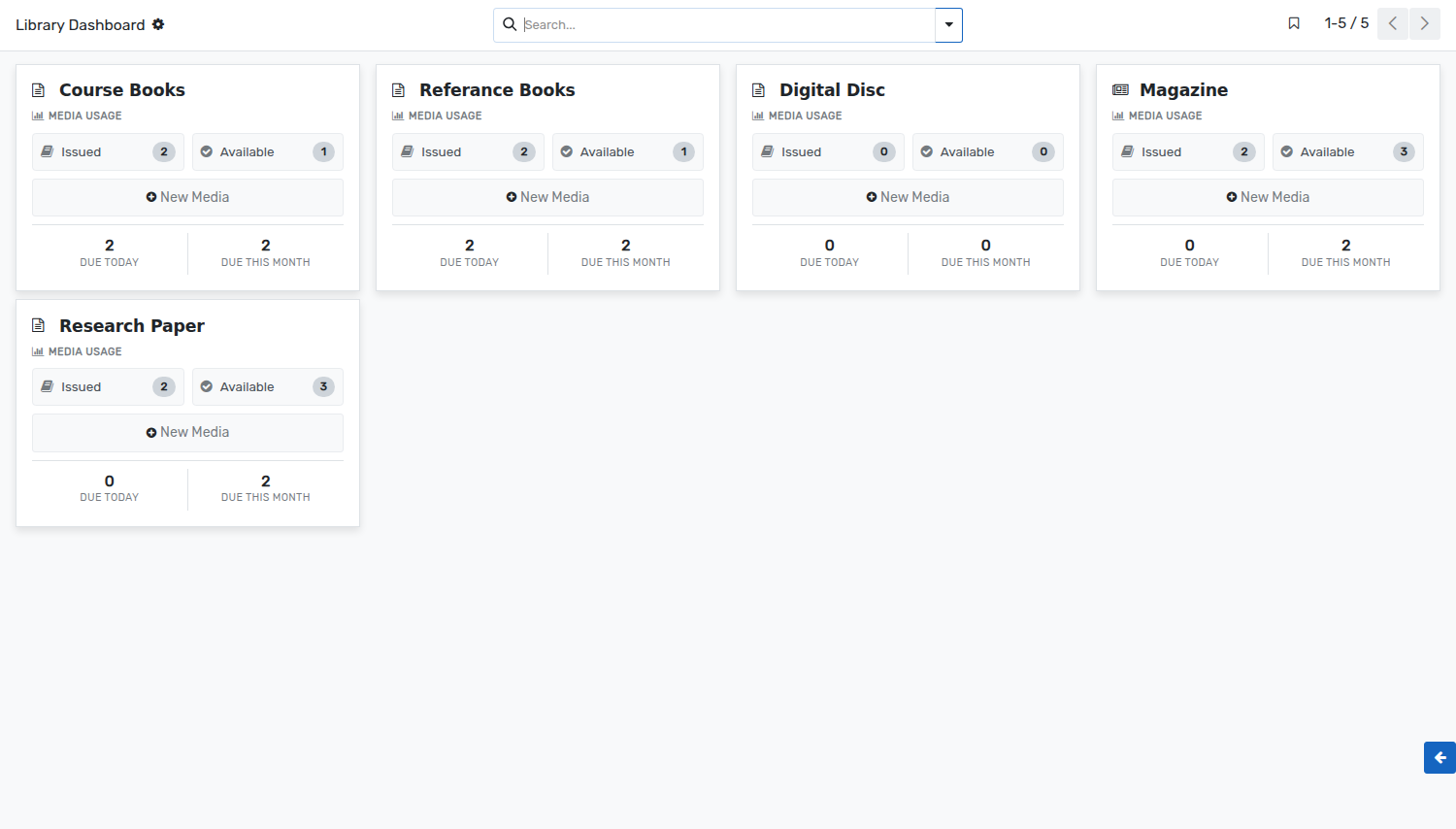
Library dashboard is a graphical view for librarian. He can have quick overview of use medias of current day and current month.
Librarian can see all the details of Issued and available medias. These are fetched from media movements records.
The dashboard shows one card per media type. Every card gives:
Issued :- The number of units of that media type which are issued at the moment. Click on it to open their media movements.
Available :- The number of units of that media type which are on the shelves and can be issued.
Due Today :- The number of medias of that type which have to be returned today.
Due This Month :- The number of medias of that type which have to be returned within the current month.
New Media :- Creates a new media of that media type, without leaving the dashboard.
The colour of a card can be changed from the menu at its top right corner, which also gives access to the settings of the media type.