
لوحة تحكم المكتبة
لوحة تحكم المكتبة
لرؤية لوحة معلومات المكتبة، انتقل إلى .
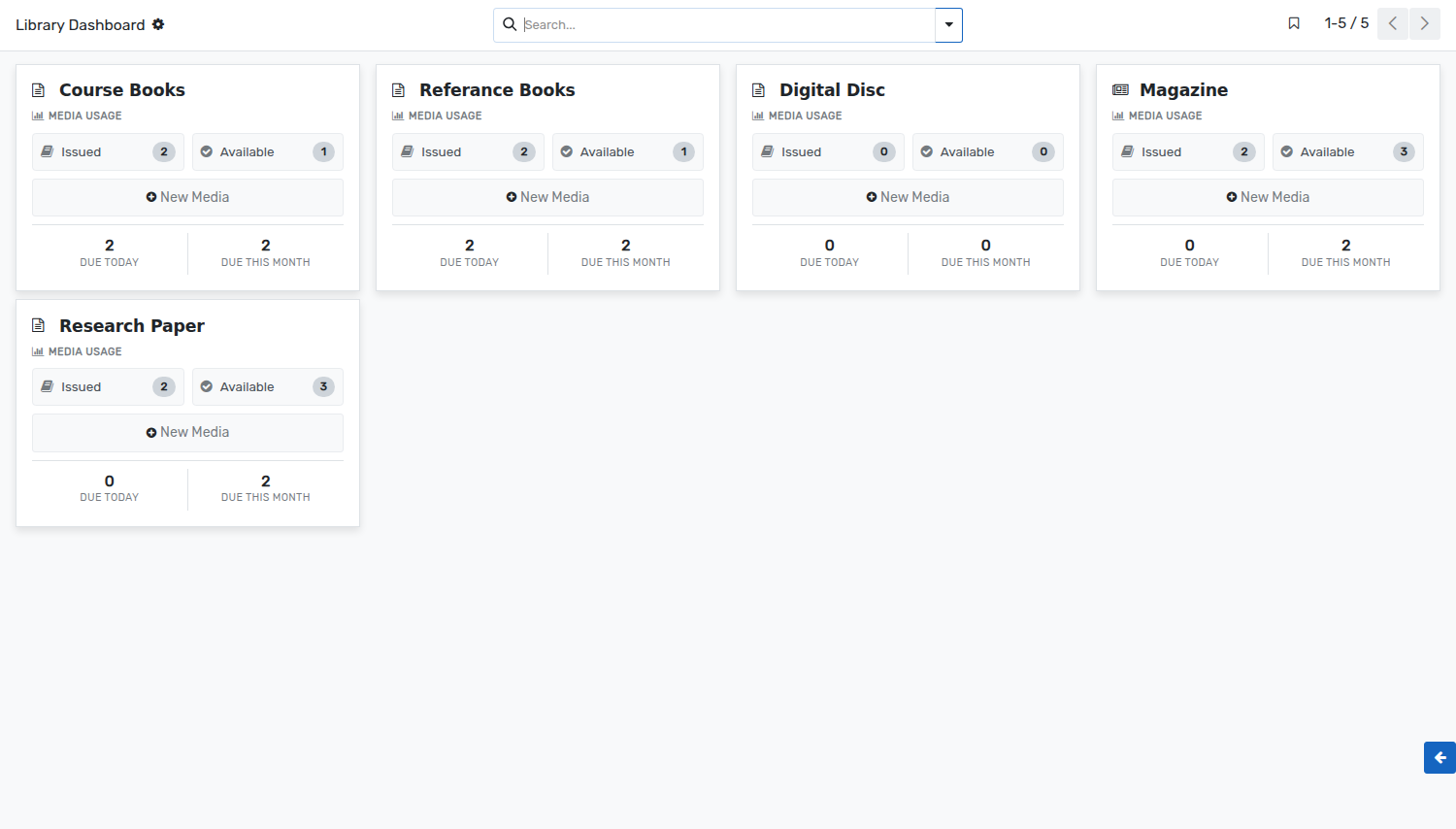
لوحة معلومات المكتبة هي طريقة عرض رسومية لأمين المكتبة. يمكنه الحصول على نظرة عامة سريعة على وسائط الاستخدام لليوم الحالي والشهر الحالي.
يستطيع أمين المكتبة الاطلاع على كافة تفاصيل الوسائط الصادرة والمتاحة. يتم جلب هذه من سجلات الحركات الإعلامية.
The dashboard shows one card per media type. Every card gives:
Issued :- The number of units of that media type which are issued at the moment. Click on it to open their media movements.
Available :- The number of units of that media type which are on the shelves and can be issued.
Due Today :- The number of medias of that type which have to be returned today.
Due This Month :- The number of medias of that type which have to be returned within the current month.
New Media :- Creates a new media of that media type, without leaving the dashboard.
The colour of a card can be changed from the menu at its top right corner, which also gives access to the settings of the media type.