
Convocation
Configure Documents
Go to SIS --> Configuration --> General Management --> Convocation Documents. Click on New to create a new document.
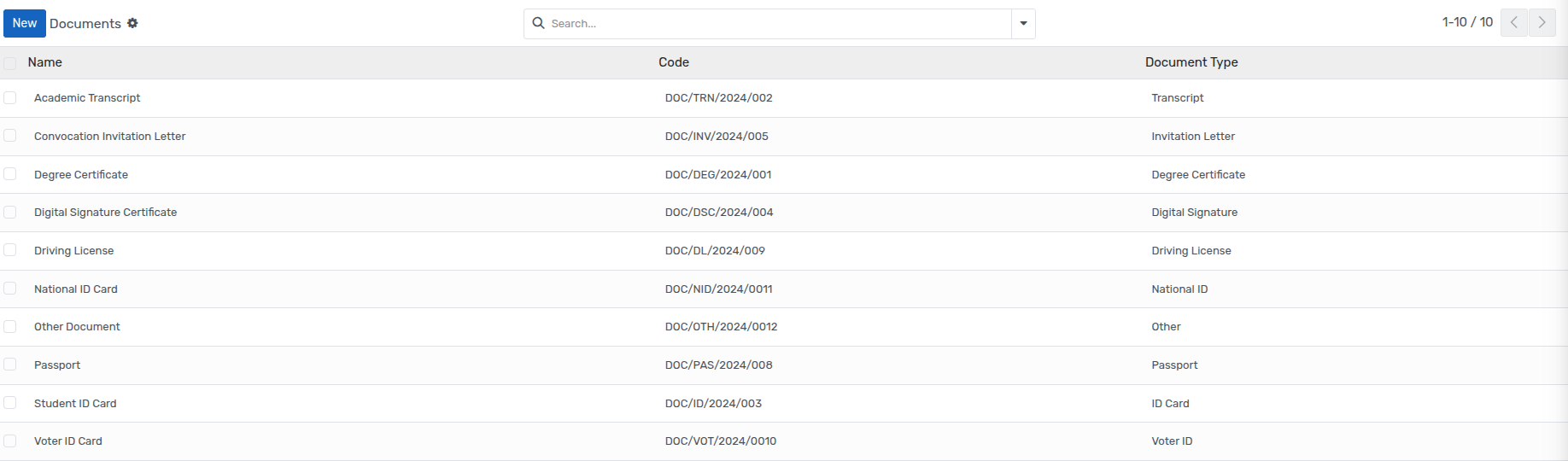
Go to SIS ‣ Convocation. Click on New to create a new Ceremonies.
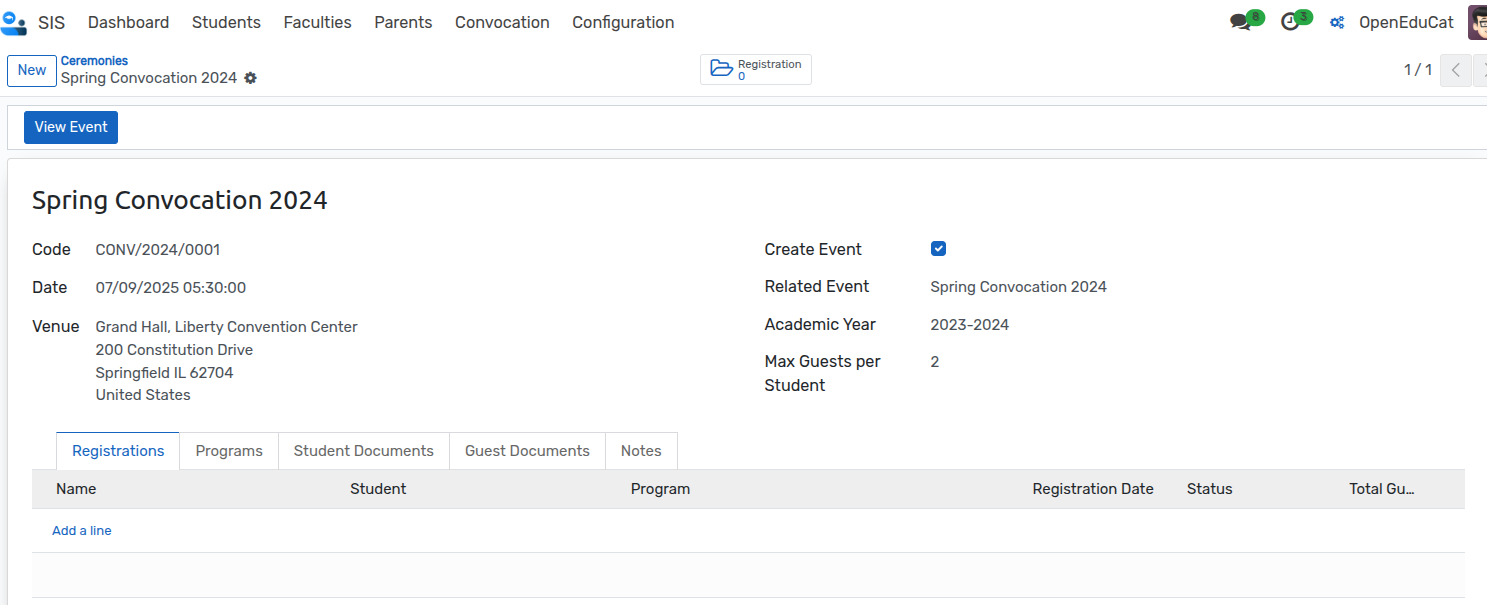
Name : Specify the name of the ceremonies in the name field.
Code : Set a code for the ceremonies. It must be a unique code for the ceremonies.
3Date : Select the date of the ceremonies.
Create Event : When enabled, an event will be automatically created for this ceremony.
Venue: Select the venue of this ceremony.
Academic Year : Select the academic year of this ceremony.
Max Guests per Student : Specifies the maximum number of guests allowed per student.
Pages in online appointment from
Programs
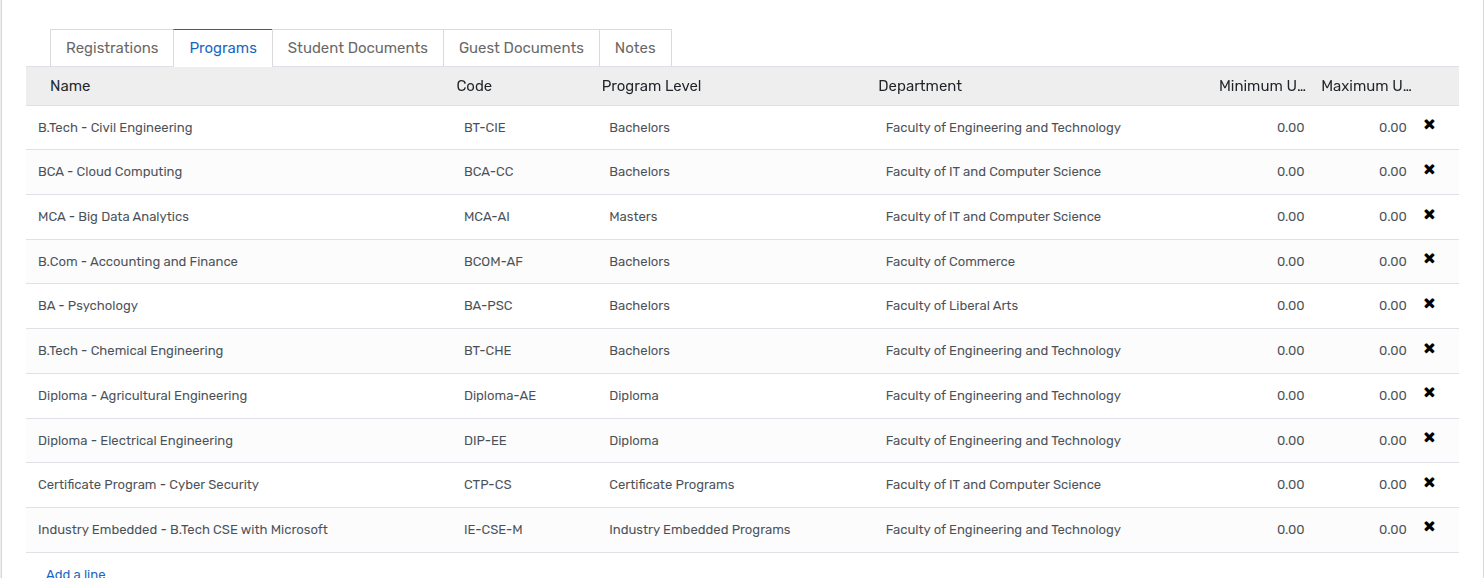
Select the program for convocation.
Student Document

Select the documents required for student convocation form submission.
Guest Document

- Select the guest's documents required for student convocation form
submission.
Notes

Add a note for students.
How to register Convocation Ceremony:
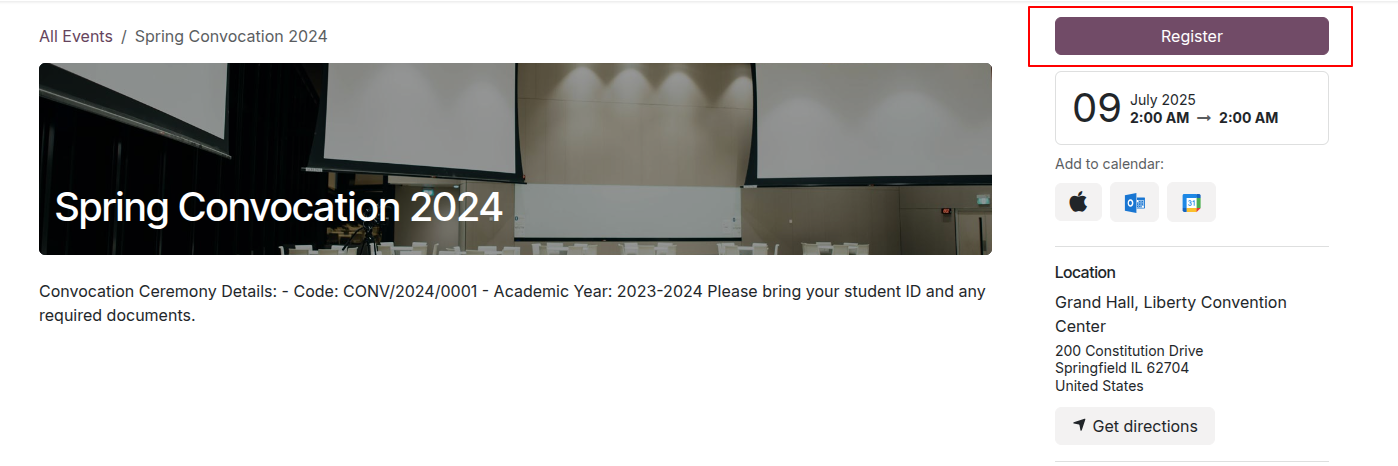
Go to Home ‣ Events. Here, you can select a specific Convocation event.

Click on Register
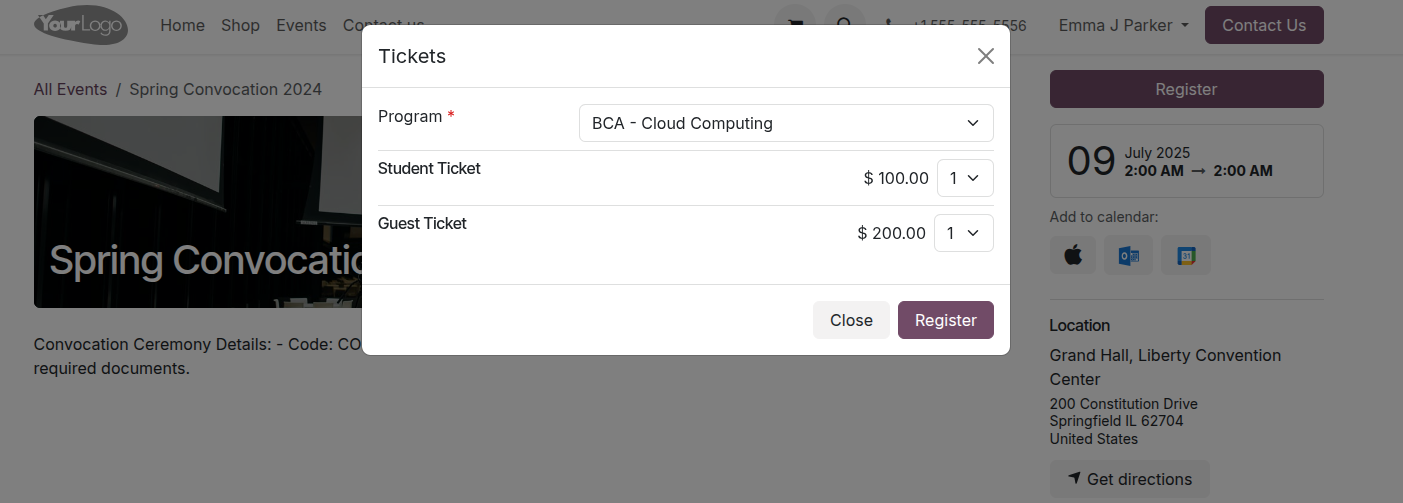
Program: - Select the Program for convocation.
Student Ticket :- Select the ticket of student.
Guest Ticket :- Select the ticket of guest and click on Register.
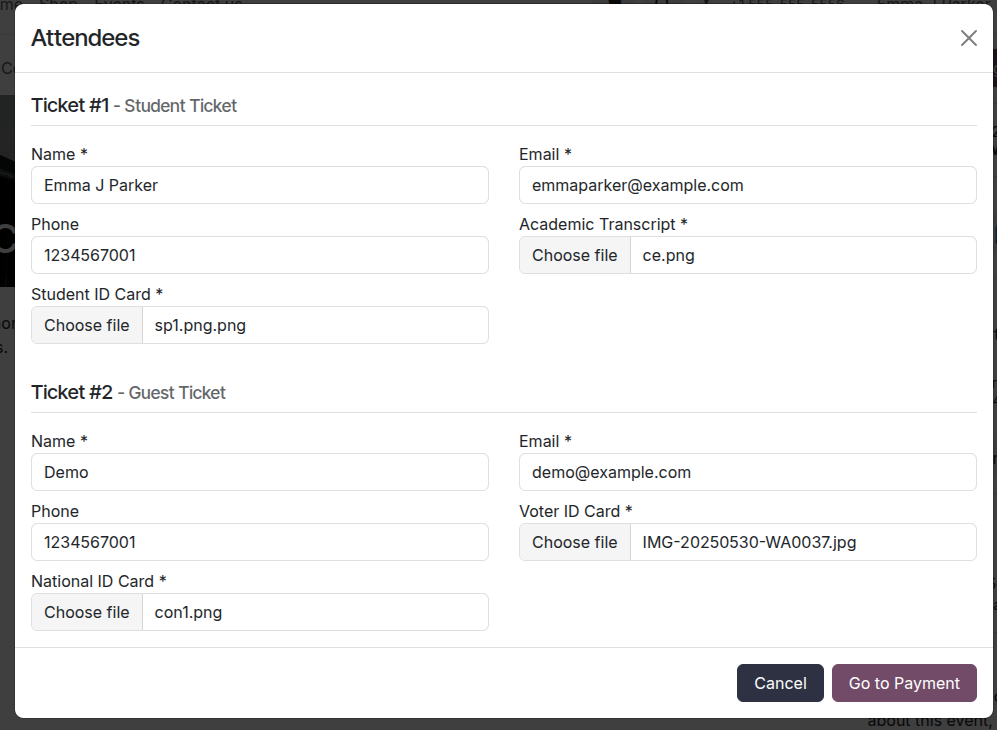
Student Ticket :- Add all detail of student.
Guest Ticket :- Add all the detail of guest and click on Go to Payment Button.
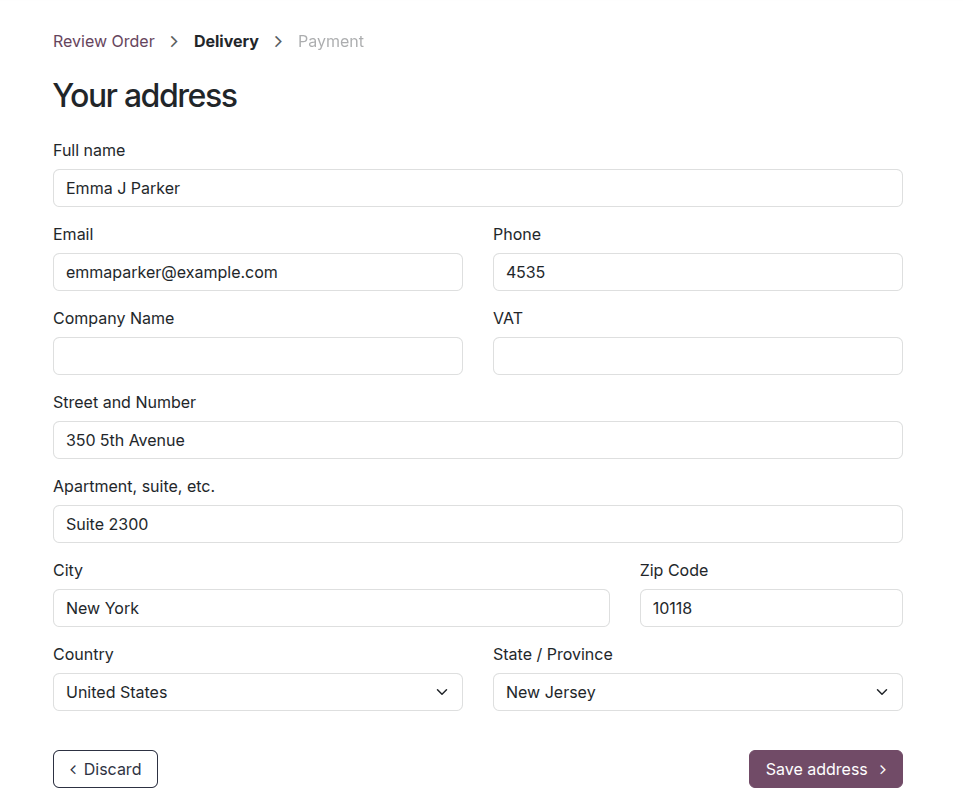
Add Address detail and click on the Save address button.
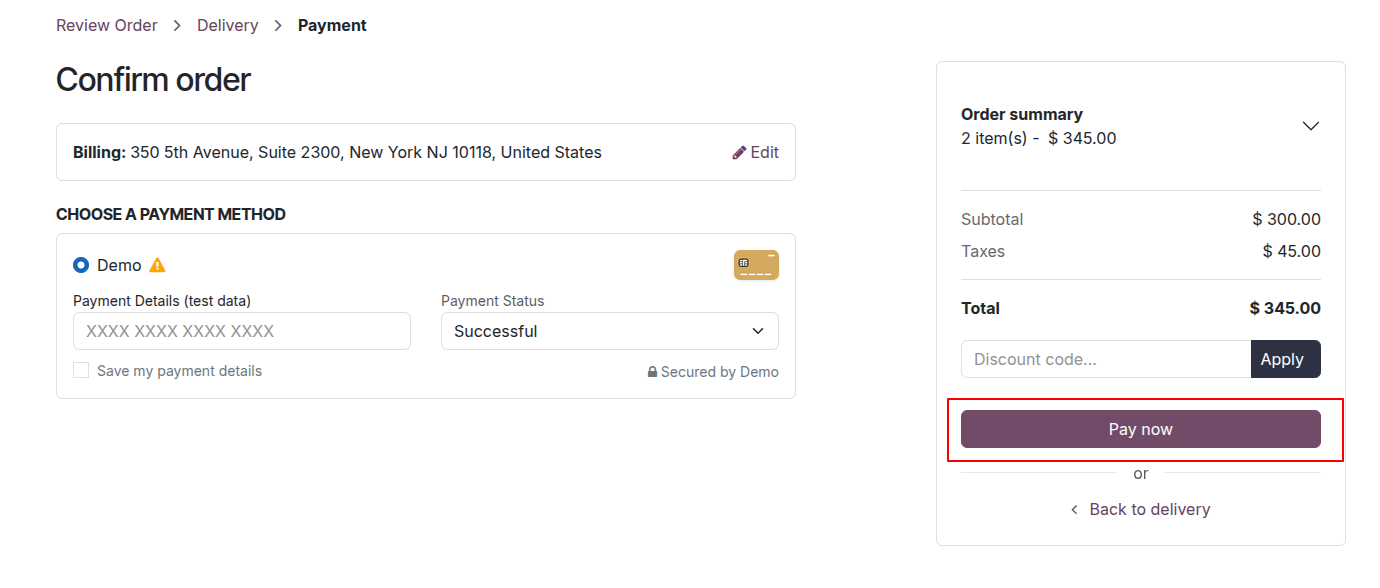
Click on Pay now button.
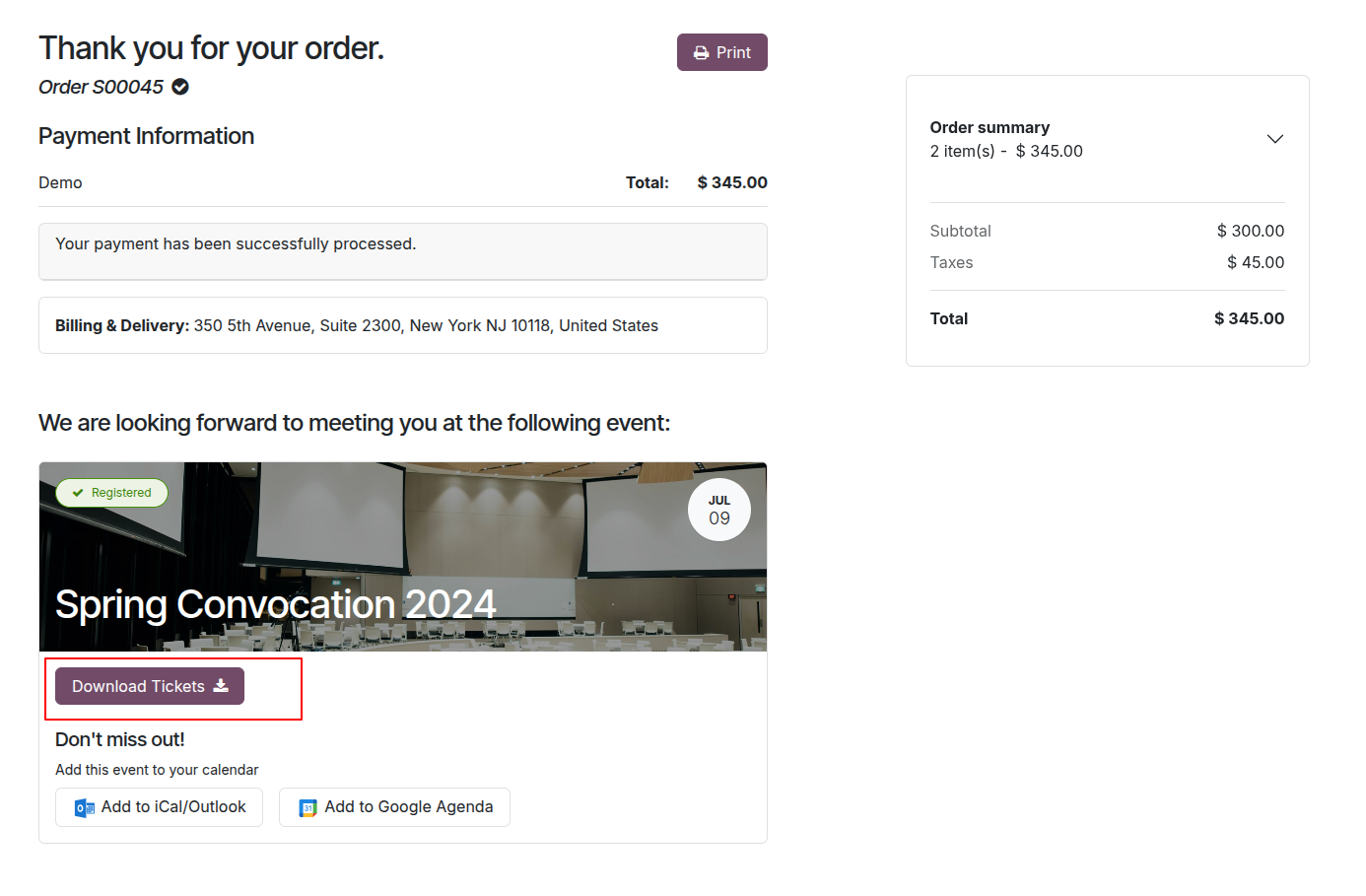
Click on Download Ticket button for download the ticket.
Convocation Registration
Go to SIS ‣ Convocation ‣ Registration click on registration.
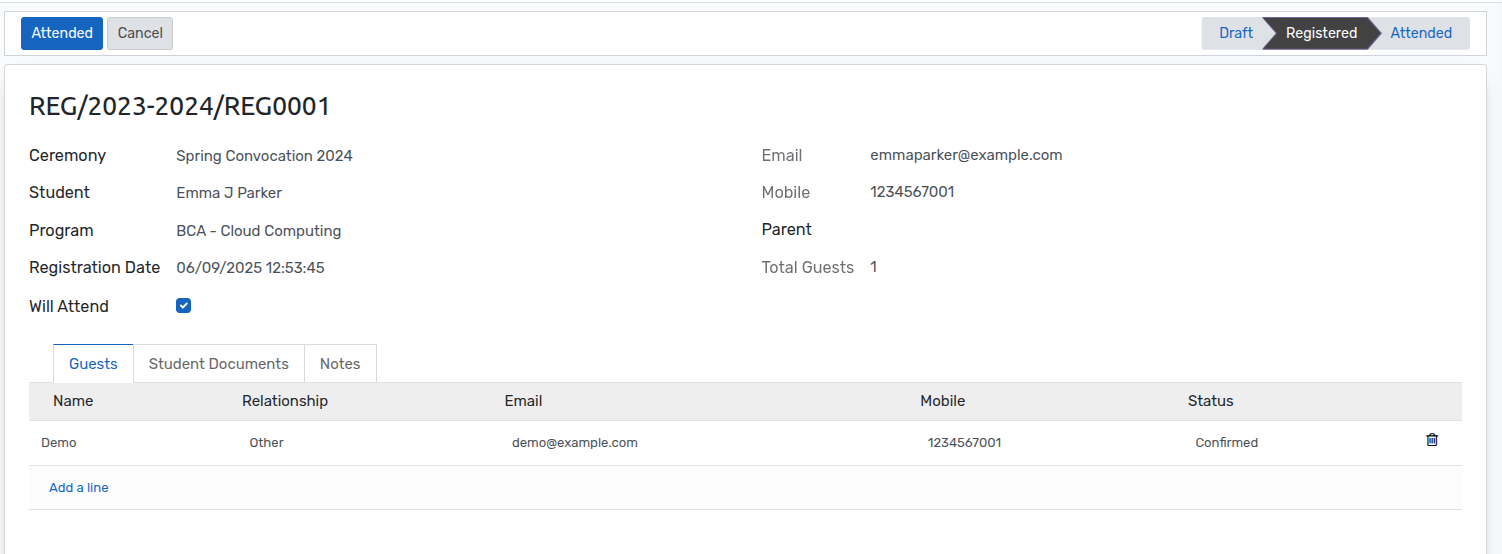
All the Student Information store in the registration.
Page Information
Guests
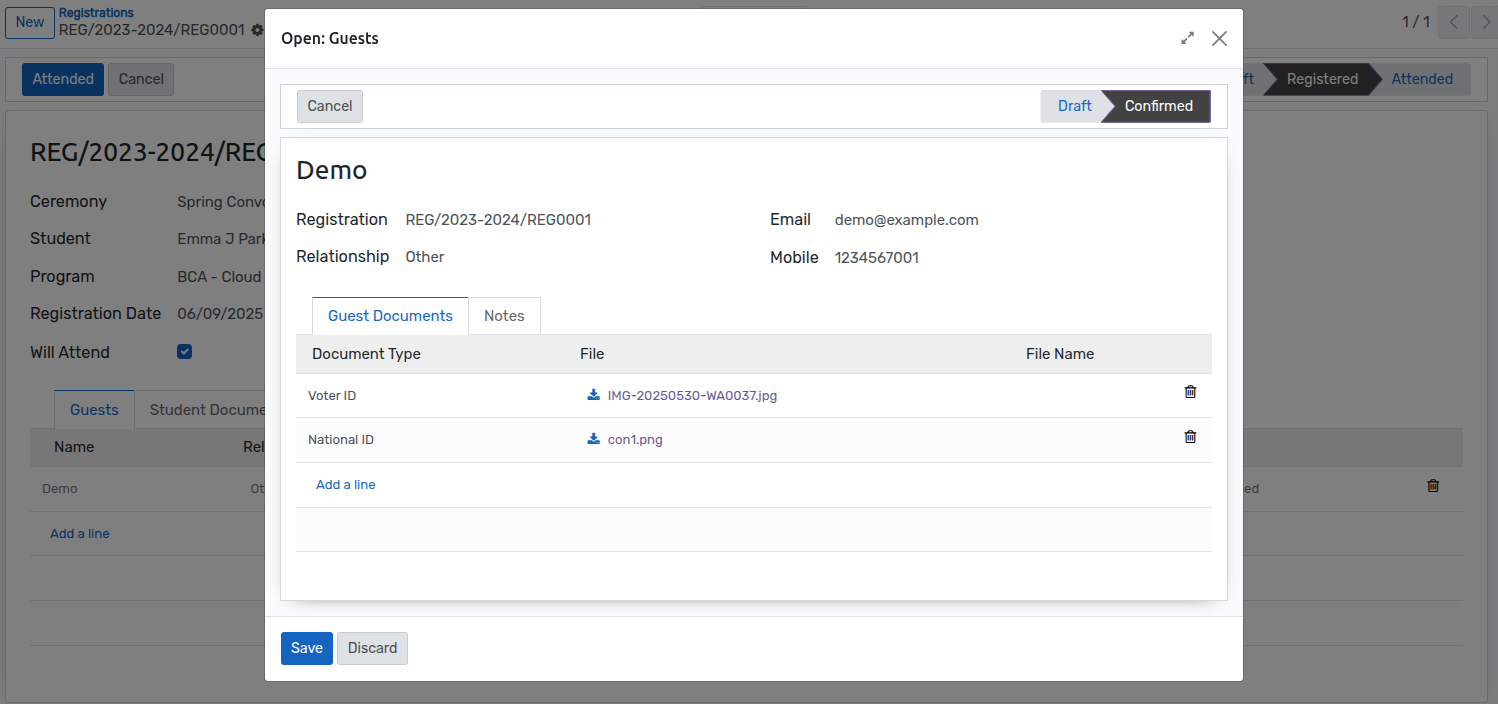
Student's Guest information are store in Guest registration.
Guest Documents : - All the guest document detail store in the guest documents you can download it.
Student Document

- All the student document store in the student document you can
download it.