Campus Daily Operations
Beyond initial allocation, the Campus application handles routine operations such as room changes, cancellations, and visitor management.
1. Bed Change Requests
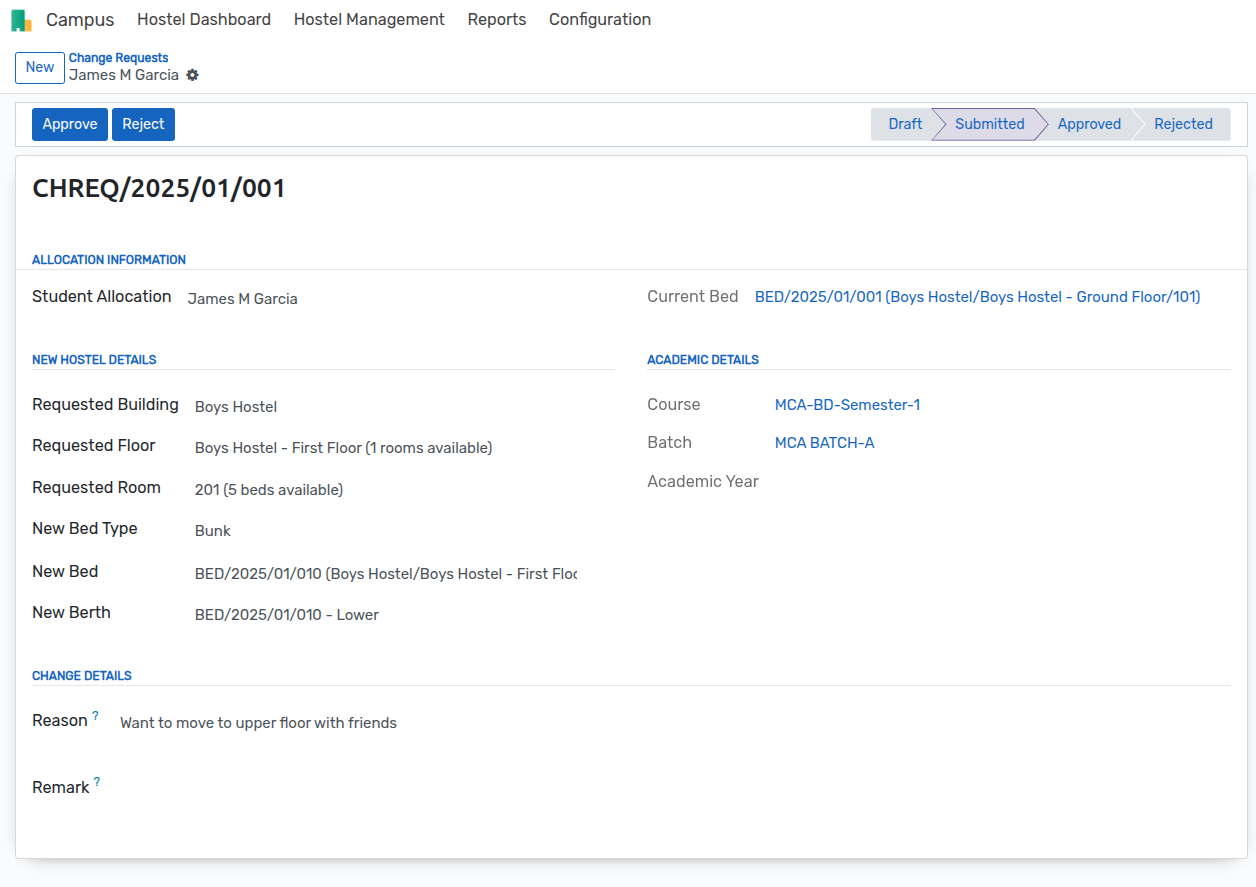
Students may request to move to a different room or building. This is handled via a Change Request.
Navigation: Campus > Hostel Management > Change Requests
Click New.
Student: Select the student. The system will auto-populate their current allocation details (Current Bed, Room, etc.).
New Allocation Details: Select the New Building, Floor, Room, and Bed.
Reason: Provide a reason for the change.
Submit and Approve.
Portal Workflow
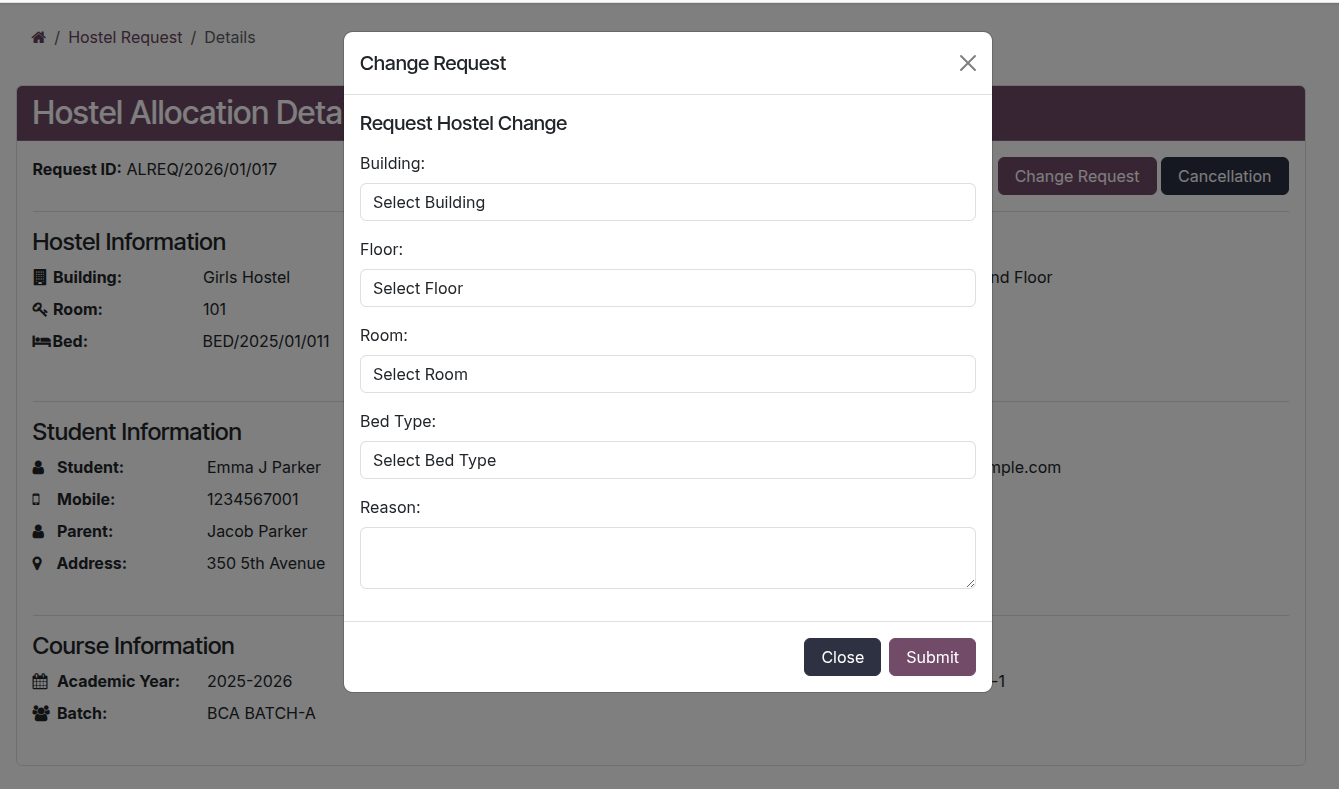
Students can request a room change from their portal dashboard:
Navigation: Portal > Hostel Allocation > Application > Change Request
Select the Active Allocation.
Choose the New Preference (Building, Room, Bed).
Provide a Reason for the change.
Submit the request.
Outcome: Upon approval, the system updates the student's allocation to the new bed and releases the old bed.
2. Cancellation Requests
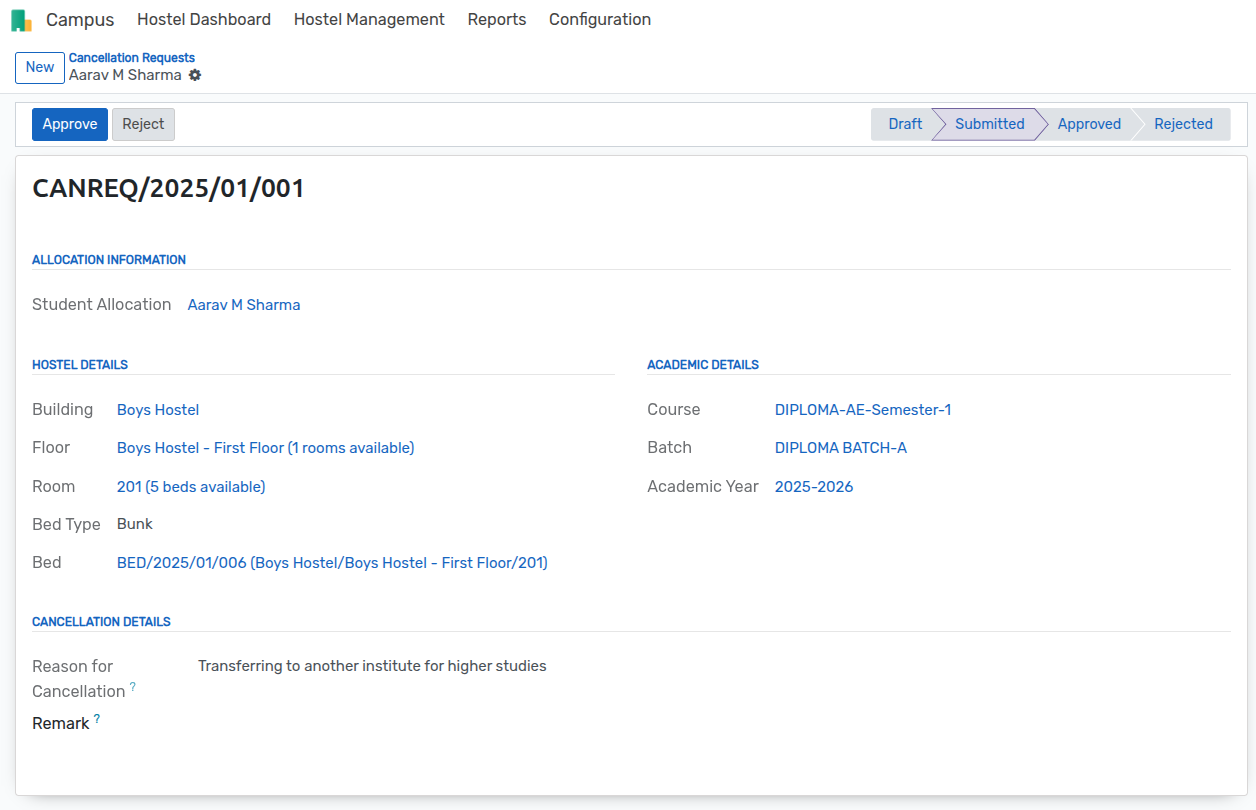
When a student leaves the hostel (e.g., end of term or checkout), a Cancellation Request is processed.
Navigation: Campus > Hostel Management > Cancellation Requests
Click New.
Student: Select the student to fetch their current active allocation.
Date: Enter the effective cancellation date.
Reason: Enter the reason for leaving.
Submit and Approve.
Portal Workflow
To vacate the hostel, students can submit a cancellation request:
Navigation: Portal > Hostel Allocation > Application > Cancellation Request
Select the allocation to cancel.
Enter the Reason for leaving (e.g., "Course Completed", "Personal").
Confirm the cancellation.
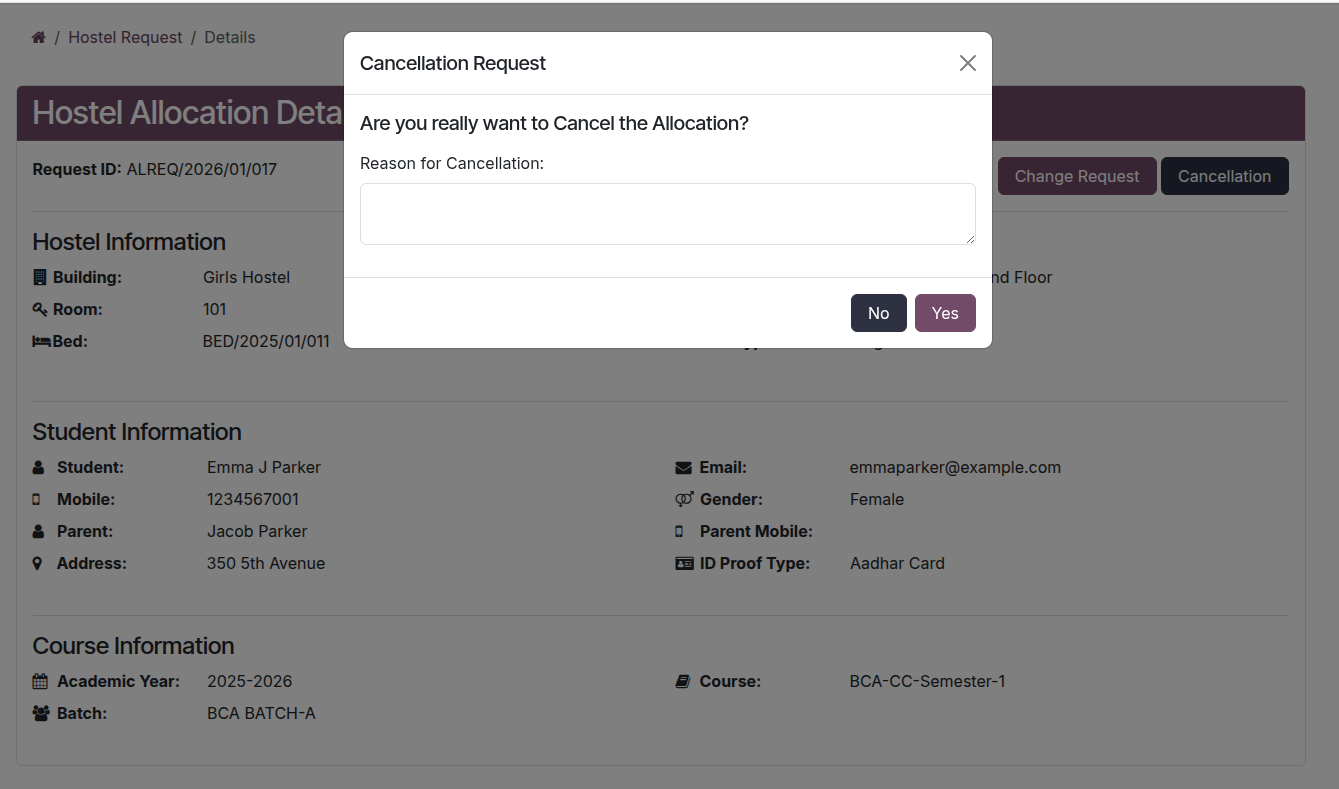
Outcome: The student's allocation status is set to Cancelled, and the bed is immediately marked as Available.
3. Bed Allocation Analysis
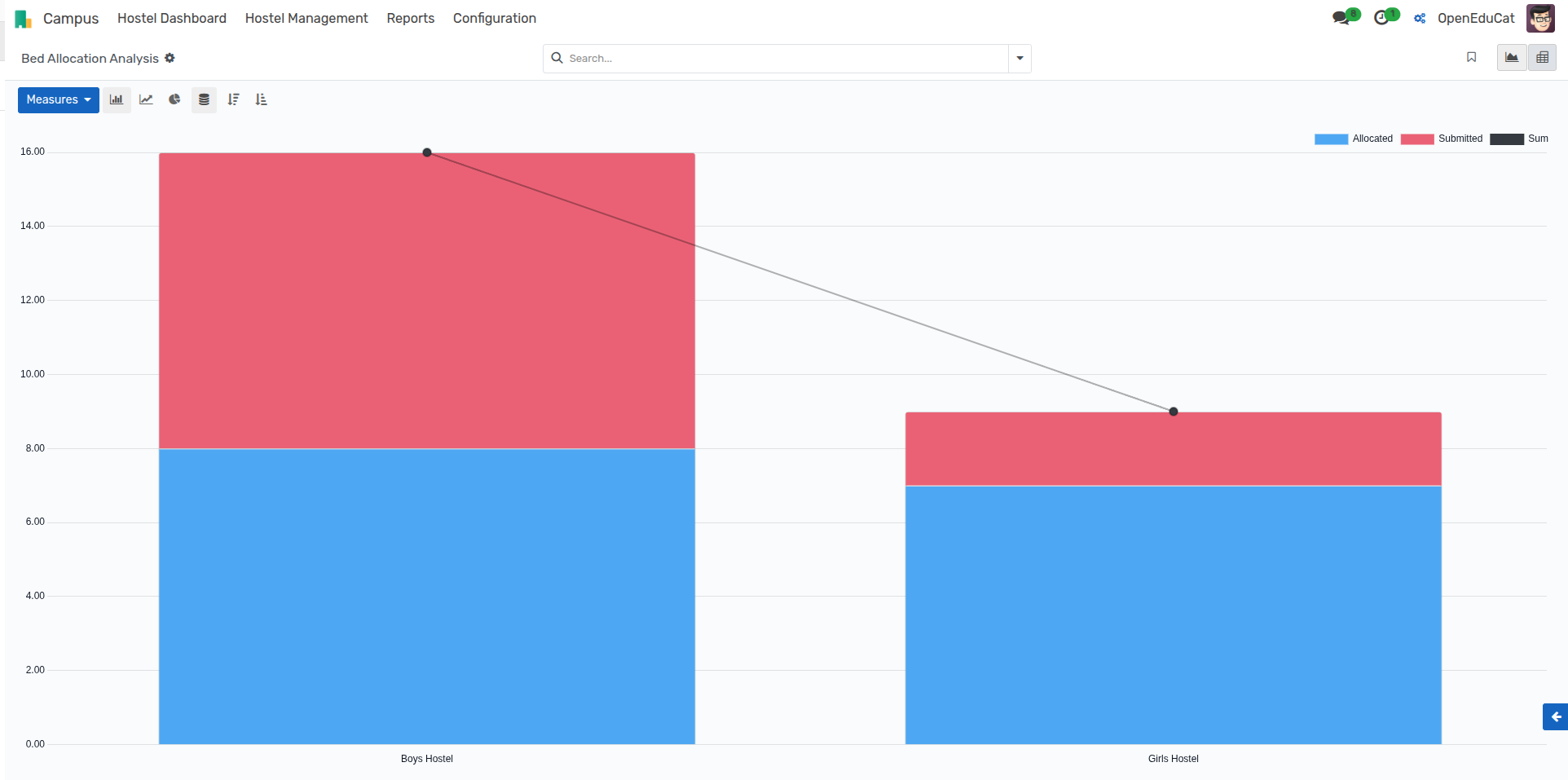
The Bed Allocation Analysis report gives a visual breakdown of how beds are distributed across your campus.
Navigation: Campus > Reports > Bed Allocation Analysis
Key Metrics:
Occupancy Rates: View allocated vs. available beds.
Buffer Analysis: Identify buildings with excess capacity.
Trend Analysis: Track allocation spikes during admission seasons.
You can group data by:
Building: Compare occupancy between different hostels.
Floor: pinpoint specific floors that are under or over-utilized.
Room Type: Analyze demand for single vs. bunk beds.