
Mappings
A mapping is the cross-reference that links one OpenEduCat record to its counterpart in Moodle. Mappings are what allow the integration to update an existing Moodle record instead of creating a new one, and they are created automatically whenever a record is synchronized in either direction.
Viewing Mappings
Go to , or use the Mappings smart button on an instance to see only that site’s records.
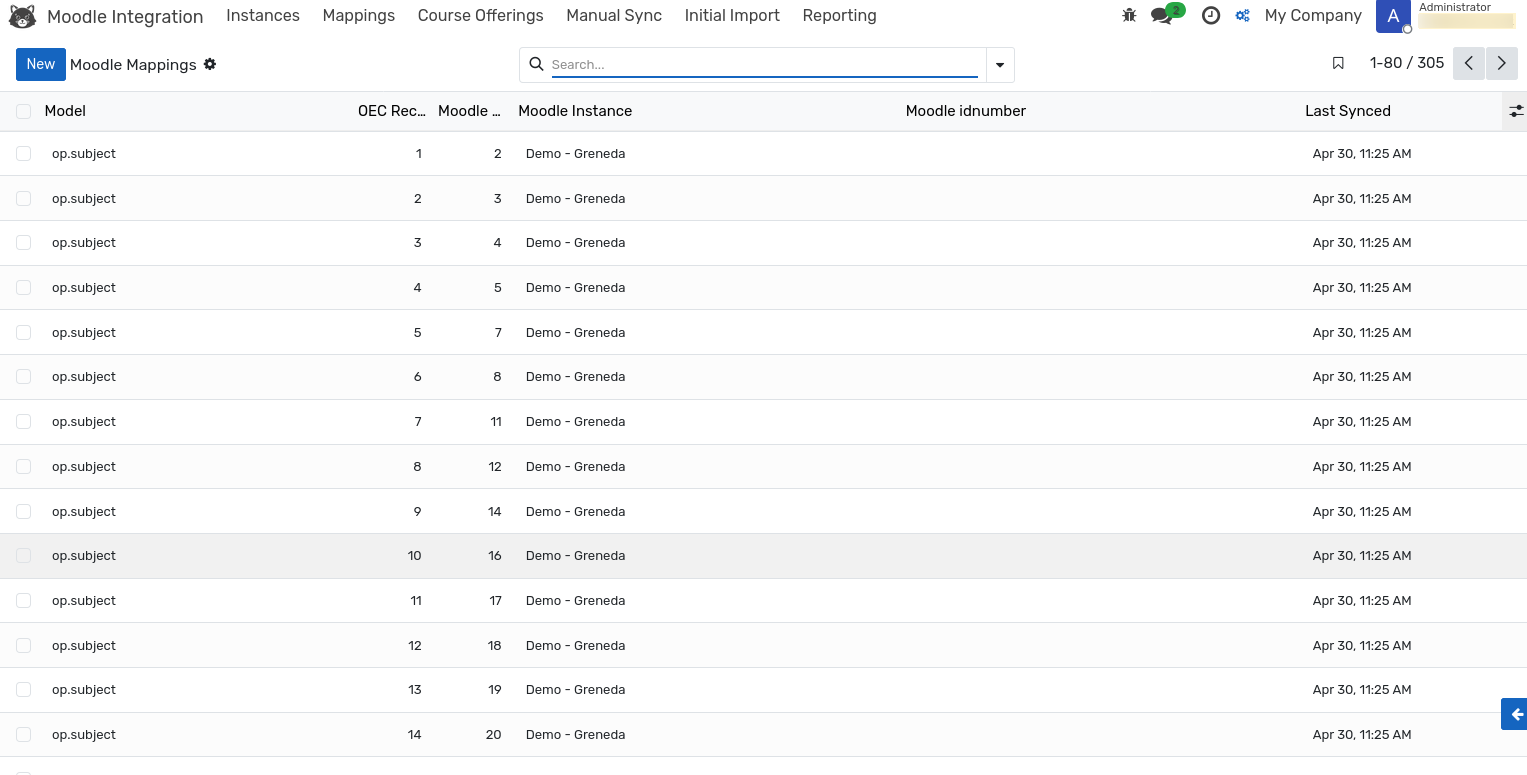
Field |
Description |
|---|---|
Model |
The OpenEduCat model, such as |
OEC Record ID |
The identifier of the OpenEduCat record. |
Moodle Record ID |
The identifier of the matching object in Moodle. |
Moodle Instance |
The site the mapping belongs to. |
Moodle idnumber |
The |
Last Synced |
When the pair was last confirmed to be in step. |
Context Record |
The parent record for entries that only make sense in a context — a subject mapping is scoped to a program, a batch mapping to a subject. |
The list can be grouped by model or by instance, and searched on the model name, the identifier or the instance.
Sync Hash
Every mapping stores a hash of the values last exchanged with Moodle. Before sending a record, the integration recalculates the hash and compares it:
Different — the record is sent and the mapping is updated.
Identical — the record is skipped, and the sync log records the operation as skipped.
This is why a second push immediately after the first one reports almost nothing: nothing changed. To force a record to be re-sent, clear its sync hash and run the sync again.
Orphaned Mappings
An orphan is a mapping whose OpenEduCat record no longer exists, usually because a student or subject was deleted rather than archived.
The weekly Moodle: Orphaned Mapping Detection job checks every mapping and marks the
affected rows with ORPHANED in the Extra Data field. To review them, open the
mappings list and filter on that value.
Orphans are inert — no sync is attempted for a record that does not exist, so they cause no errors. Clean them up when you want the list to reflect reality:
Delete the mapping row if the Moodle object should also be suspended or retired.
Suspend the corresponding Moodle user, if the orphan was a student or faculty member.
Leave it in place if the record is expected to be recreated.
Mapping Backup
The daily Moodle: Mapping Backup job exports the mapping table of every active instance
as a CSV attachment. If mappings are ever lost, this export — together with the oec_
identifiers stored in Moodle — is what makes recovery possible.
Rebuilding Lost Mappings
If mappings are deleted or corrupted, do not run a push: without them, the integration treats every record as new and duplicates it in Moodle.
Instead, open , choose the instance and
click Rebuild Mappings. The wizard re-reads the identifiers held in Moodle and recreates
the mapping rows without changing any data on either side.
GDPR Erasure
When a student exercises a right to erasure, the integration suspends their Moodle account and removes their mapping rows, including those of their enrollments. The Moodle account is never deleted, so gradebook history remains intact for the institution’s own retention obligations.
The erasure is reserved for the Moodle Manager group and respects company isolation — a manager can only erase students belonging to the instance’s company. Removing the OpenEduCat student record itself remains a separate step under your local process.