
Reporting
OpenEduCat provides two pivot reports that allow you to analyse the assignments of the institute and the submissions received for them.
Assignment Analysis
Go to .
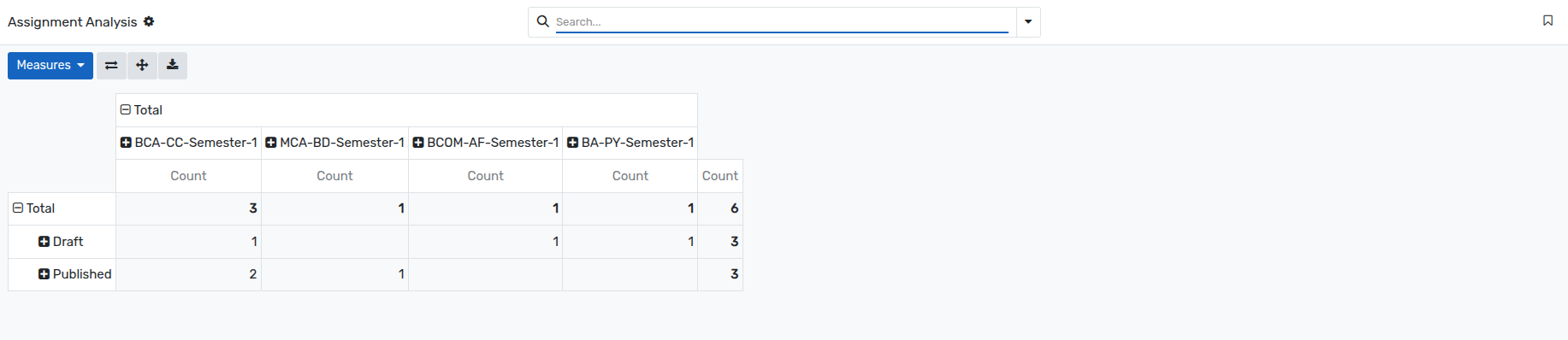
The assignments are counted by course on the columns and by status on the rows, so you immediately see how many assignments are still in draft, published or finished for each course.
Click on the
+icon of a row or of a column header to expand the analysis by another criterion, for example by batch, by subject, by faculty, by assignment type or by issued date.Use the
Measuresbutton to add or remove the values that are summarised, and the search bar to restrict the analysis to a period, a course or a status.The buttons on the right of the
Measuresbutton allow you to flip the axes, to expand all the groups, and to download the report as a spreadsheet.
Submission Analysis
Go to .
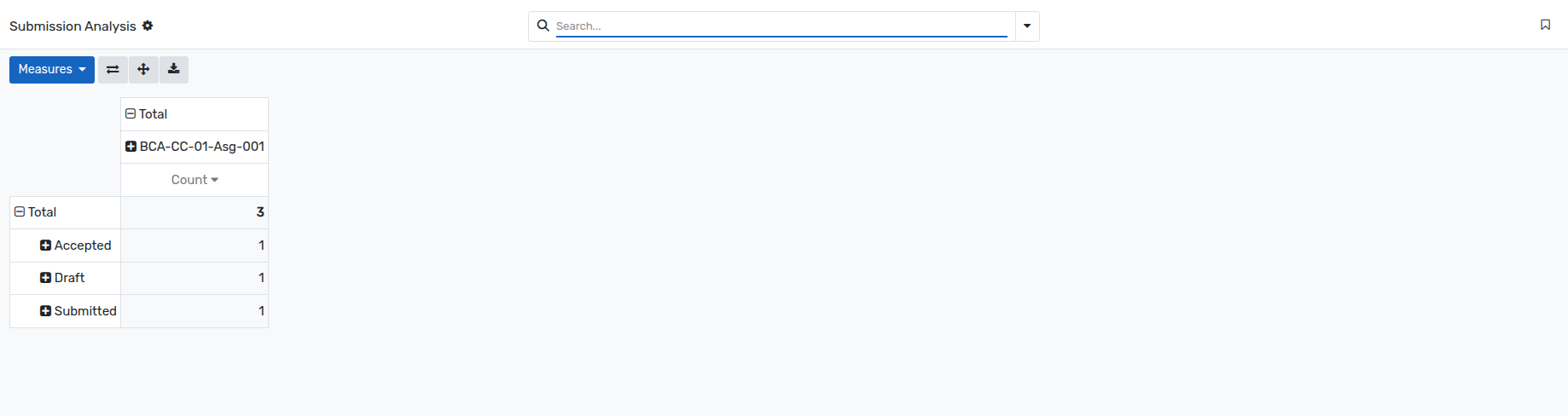
The submissions are counted by assignment and by state, which gives a quick overview of how many submissions are still to be reviewed, and how many have been accepted, rejected or sent back for changes.
The analysis can be expanded by student, by submission date or by any other field, exactly like the Assignment Analysis.
Note
Both reports are available to the users who have the assignment access rights, and only show the records of the companies that are allowed for their account.
The pivot analysis is also available directly from the Assignments and the Submissions menus, through the pivot icon of the view switcher.