
Modèle de rubriques
Les professeurs peuvent créer un modèle de rubriques pour une mission particulière.
To do that, Go to .
Click on New to create a new template.
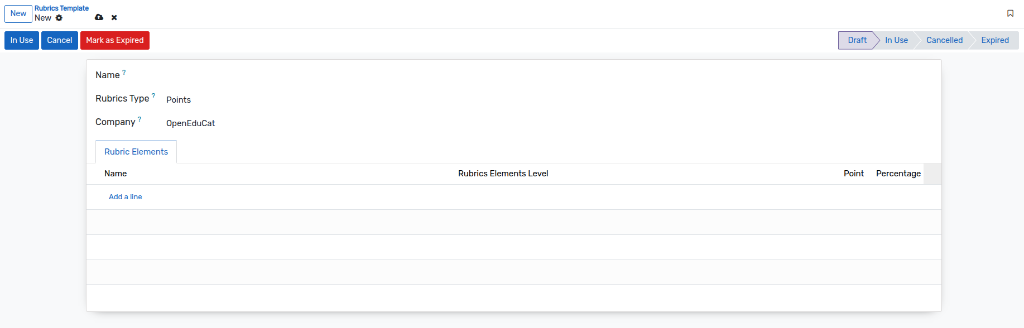
Name :- Specify the name of the template.
Rubrics type :- Select the rubrics type which is Points or Percent from the list.
Validation Status :- If “Percent” is selected, a badge displays whether the total percentage is valid (should equal 100%).
Éléments des rubriques
Les professeurs peuvent créer un modèle d’éléments de rubriques dans lequel ils peuvent définir les critères de notation du devoir en fonction de points ou de pourcentages.
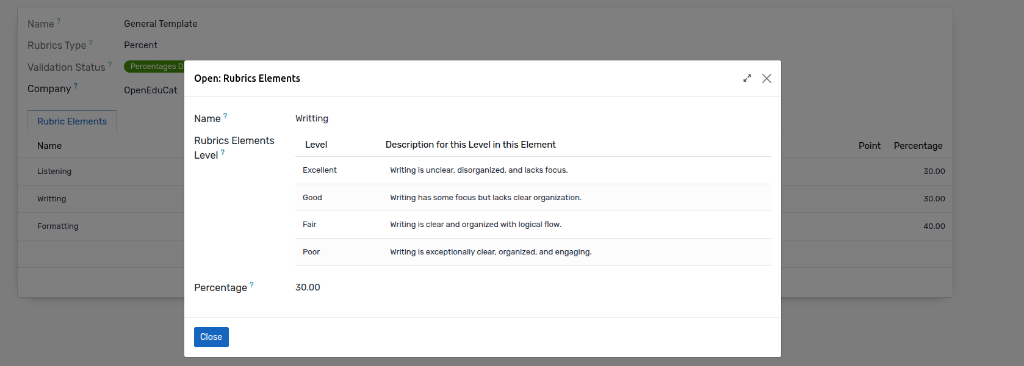
Name :- Specify the name of the element.
Percentage / Point :- Add a Percentage or Point for the particular rubrics element.
Rubrics Elements Level :- Define the levels (like Excellent, Good, Fair, Poor) with their respective descriptions and values.
In this way you can create multiple rubrics elements for a particular rubrics template.
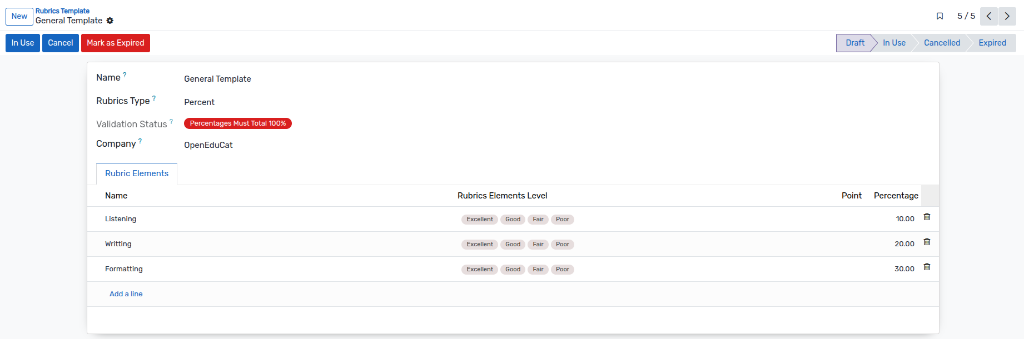
For using the created Rubrics template, the faculty have to change the state to “In Use” by clicking on the In Use button.
Template Expiration
Once a template is no longer needed or out of date, it can be expired:
Click on the
Mark as Expiredbutton (available when the template is not already expired and is in Draft or Cancel state).The template state will change to Expired.
- A new section Rubrics Template Expiration Details will appear, displaying:
Template Expired: A checkbox indicating it is expired.
Template Expired By: The user who expired the template.
Template Expired Date: The timestamp of expiration.